



"Git is not memorization. It is understanding the graph."
A comprehensive, hands-on laboratory dedicated to mastering version control, branching strategies, and the underlying architecture of Git. This repository serves as a visual and technical roadmap for professional-grade Git proficiency.

The fundamental Git workflow — Working Directory → Staging Area → Repository
I have moved beyond basic commits to understanding history manipulation and repository maintenance:
| Category | Commands |
|---|---|
| Setup & Config | git init, git config |
| Snapshots | git add, git commit, .gitignore |
| Navigation | git log, git switch, git branch |
| History Control | git restore, git commit --amend |
| Integration | git merge --no-ff, git rebase |
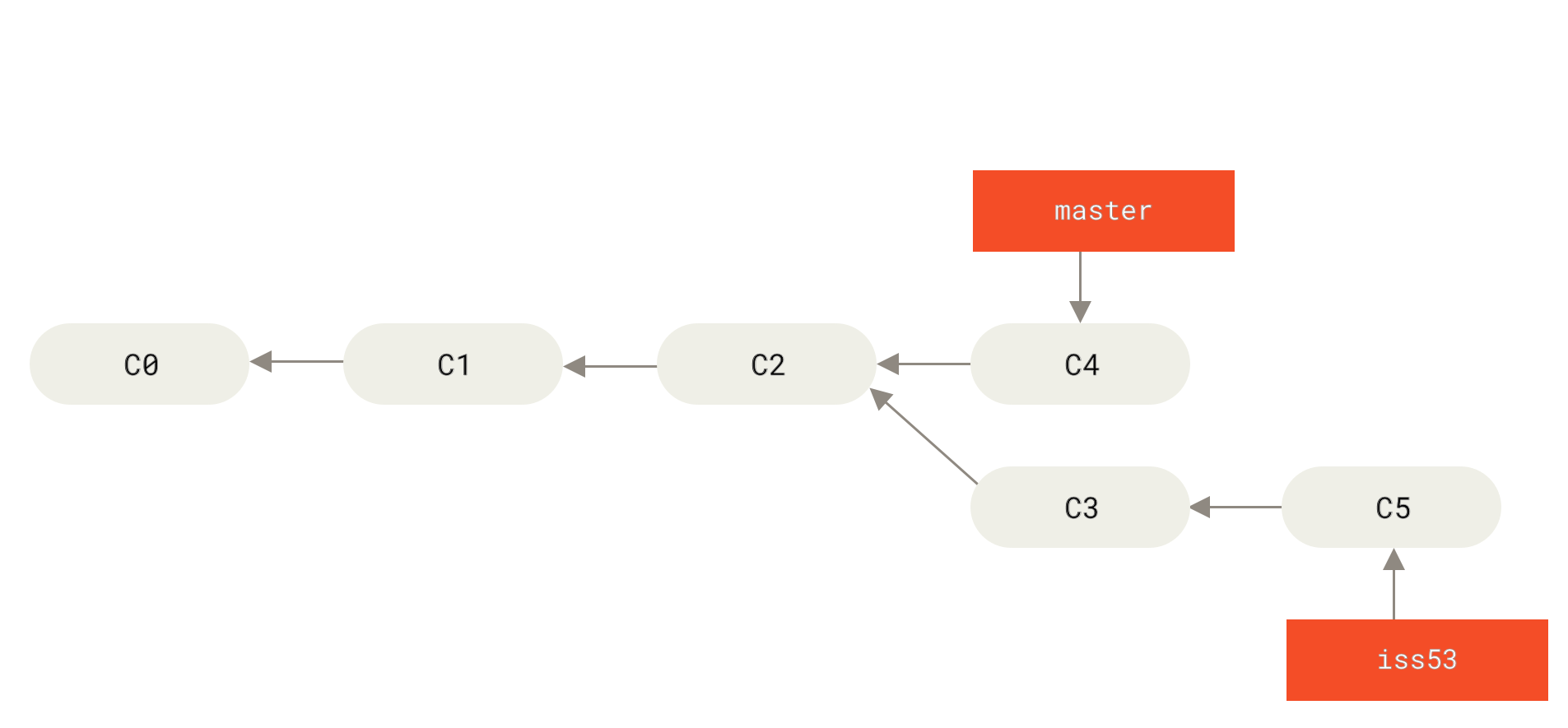
A Directed Acyclic Graph (DAG) — the true data structure behind every Git repository
To view the complete evolutionary history of this project, run:
git log --oneline --graph --all --decorateSample output:
* a3f9c12 (HEAD -> main) Final release polish
*   d7b2e88 Merge branch 'feature/contact'
|\
| * 9c1f034 (feature/contact) Add contact form
* |   5e4a110 Merge branch 'feature/hero'
|\ \
| * | 3b8d221 (feature/hero) Design hero section
|/ /
* | 1a6c903 (bugfix/typo) Fix typo in README
|/
* 0f2d745 (release/v1.0) Initial stable build
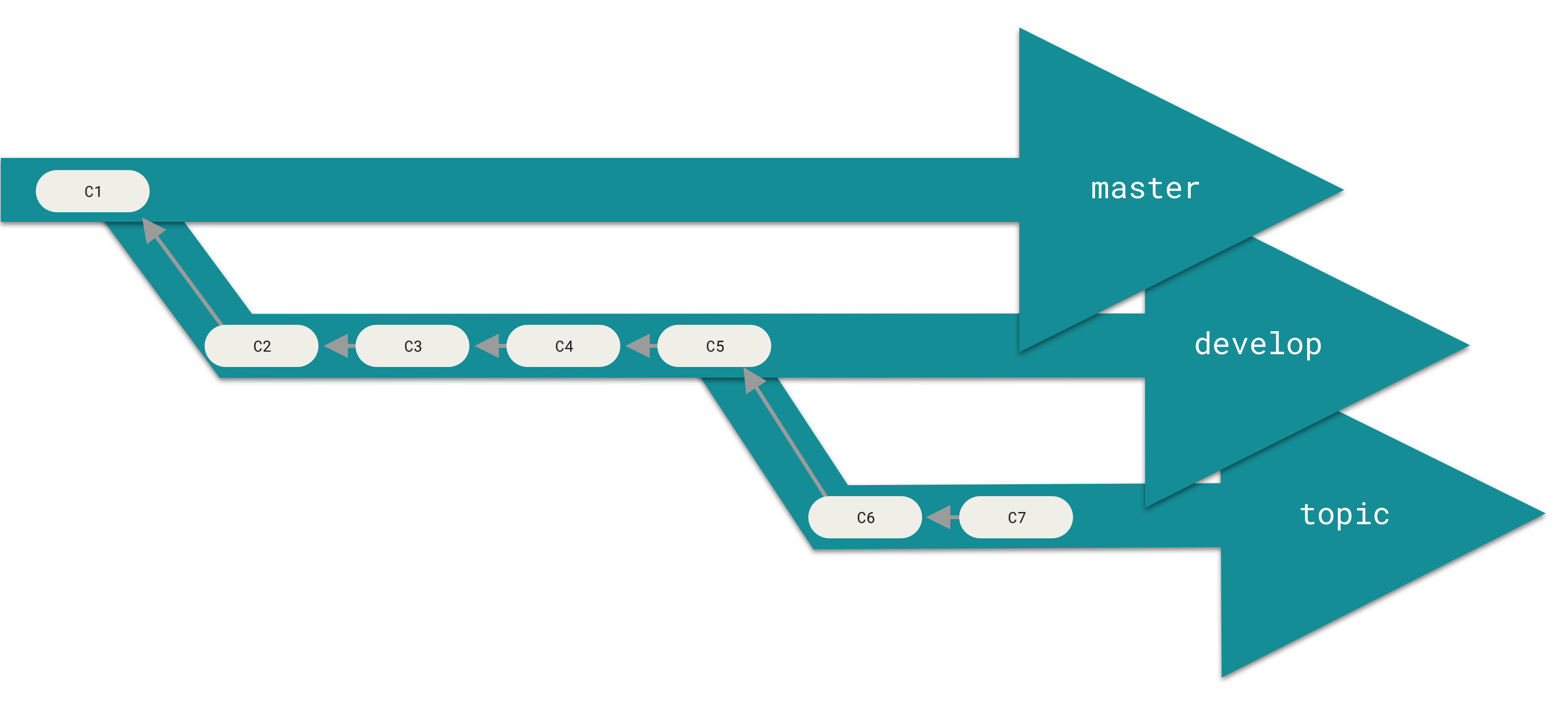
Long-running and topic branches — the backbone of professional Git workflows
This project follows a professional naming convention (Feature/Bugfix/Release) to simulate a real-world development environment:
- ✨
feature/navbar— Navigation component implementation. - ✨
feature/hero— Hero section design and logic. - ✨
feature/contact— Contact form integration. - 🐛
bugfix/typo— Correction of documentation and string literals. - 🔥
hotfix/crash— Critical patch for runtime stability. - 📦
release/v1.0— Production-ready stable build.
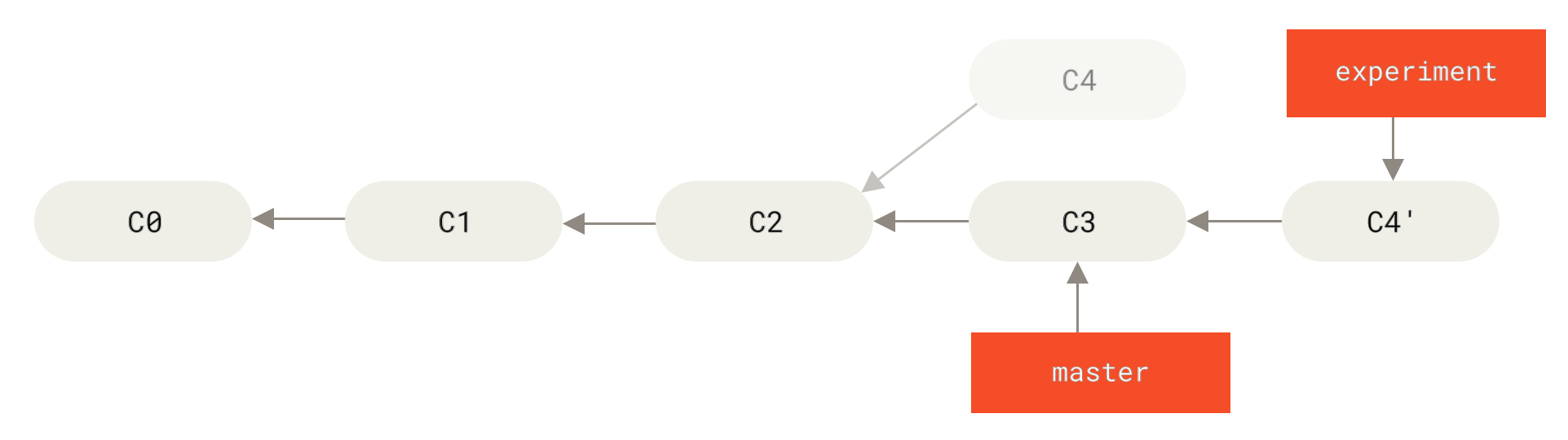
Rebase replays your commits on top of the target branch for a clean, linear history
| Strategy | Command | Result |
|---|---|---|
| Merge (no-ff) | git merge --no-ff feature/x |
Preserves branch history with a merge commit |
| Rebase | git rebase main |
Replays commits on top for a clean linear history |
| Fast-forward | git merge feature/x |
Moves pointer forward if no divergence |
💡 Rule of thumb: Use
rebasefor local cleanup before pushing; usemerge --no-ffon shared branches to preserve context.
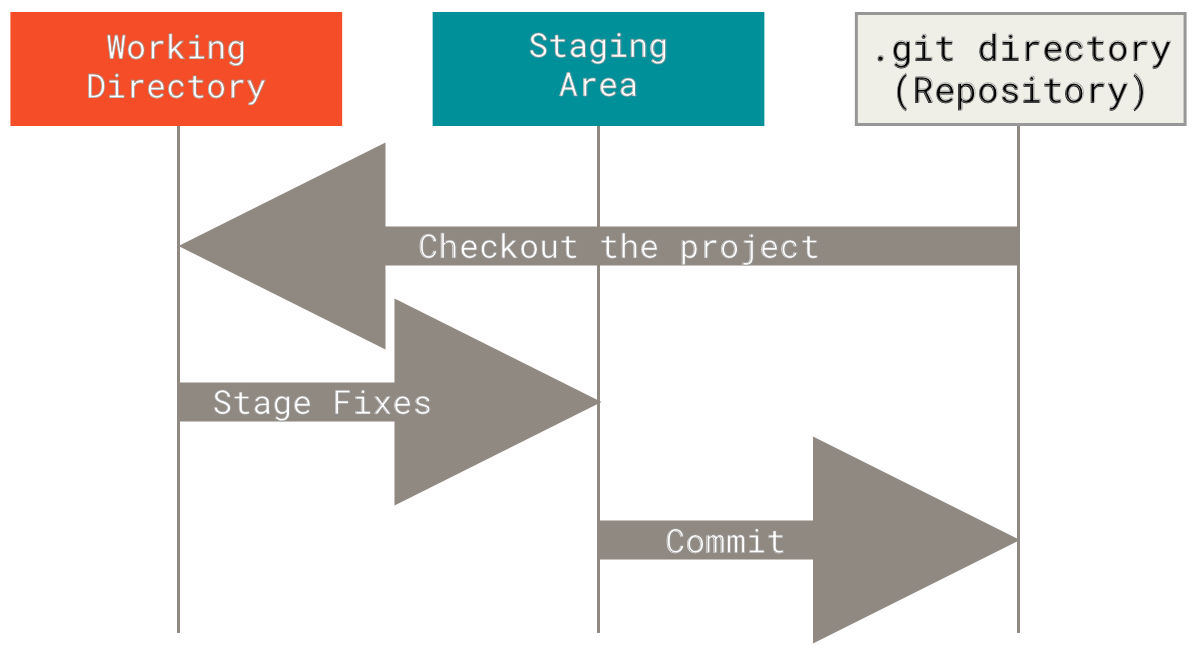
Every file in Git lives in one of three states — understanding this is the foundation of everything
Working Directory  ──── git add ────▶  Staging Area  ──── git commit ────▶  .git Repository
      │                                                                              │
      │◀──────────────────────── git checkout / git restore ──────────────────────────│
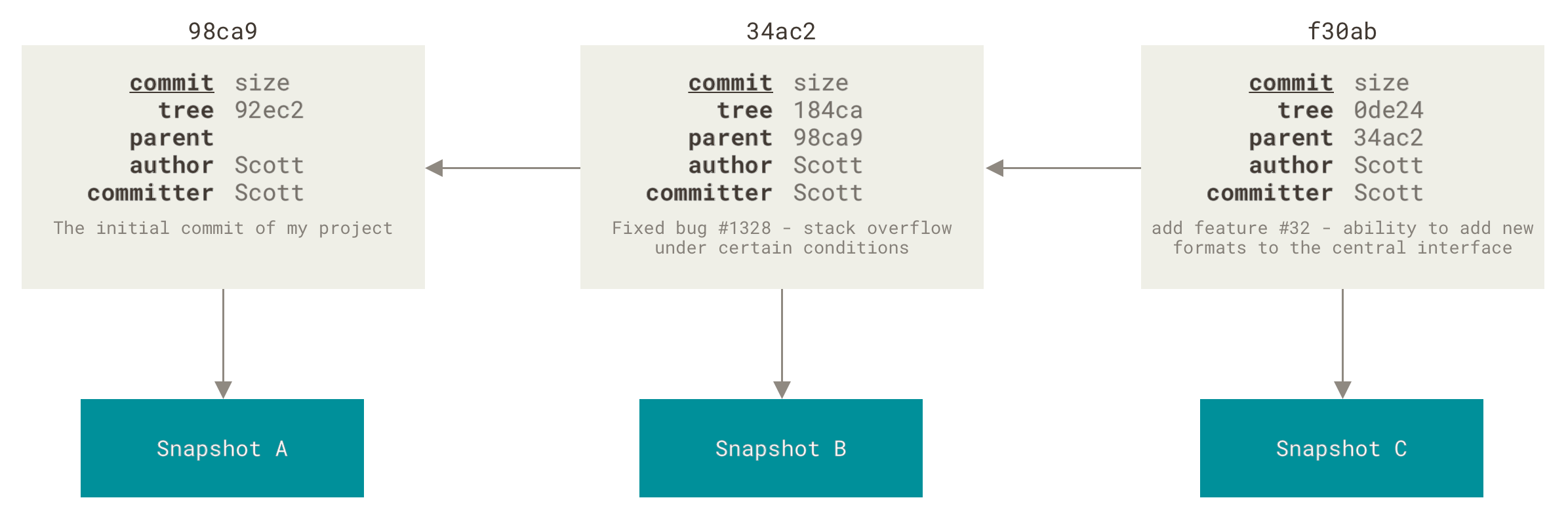
Each commit is a snapshot that points back to its parent — this chain IS your history
Use Conventional Commits for clean, readable logs:
feat:     ✨ New feature
fix:      🐛 Bug fix
docs:     📝 Documentation update
style:    💅 Formatting (no logic change)
refactor: ♻️  Code restructure
test:     🧪 Adding/fixing tests
chore:    🔧 Tooling, config, maintenance
# Dependencies
node_modules/
vendor/

# Build outputs
/dist
/build
*.o
*.class

# Environment & secrets
.env
.env.local
*.pem

# OS artifacts
.DS_Store
Thumbs.db

# IDE configs
.vscode/
.idea/
*.suo- Three States: Working Directory, Staging Area, and
.gitDirectory. - Fast-forward vs Recursive merges: Knowing when each strategy applies.
- Rebase for clean history: Linear, readable commit logs for production repos.
-
.gitignoremastery: Maintaining repository hygiene from day one. - Branch naming conventions: Professional Feature/Bugfix/Release/Hotfix strategy.
- History manipulation:
git commit --amend,git restore, selective staging.
# Start a repo
git init && git remote add origin <url>

# Stage and commit
git add .
git commit -m "feat: add navbar component"

# Branch workflow
git switch -c feature/my-feature
git switch main
git merge --no-ff feature/my-feature

# Clean up history before PR
git rebase main
git commit --amend --no-edit

# Inspect the graph
git log --oneline --graph --all --decorate
"Every expert was once a beginner. Keep committing."
Maintained with 💙 by Sahastrajeet (SJ)