The OG Image Generator allows you to create custom Open Graph images for your website. You can specify various parameters to customize the image according to your needs.
The url for all images will be the same:
https://osig.app/g/
Parameters will vary depending on the style. All of them are optional, but if you don't pass anything it will look like sh*t.

Below is a list of all parameters we currently support:
- key: Your API key. Can be found in your settings page, if you are registered.
- style: Image style (default: "base")
- - base
- - logo
- - job_classic
- - job_logo
- - job_clean
- site: This dictates the size of the image (default: "x")
- - x (1600 by 900)
- - meta (1200 by 630)
- font: Font to use for text (more will be added)
- - helvetica
- - markerfelt
- - papyrus
- title: Main title text
- subtitle: Subtitle text
- eyebrow: Eyebrow text
- image_url: URL of the background image
- image_or_logo: Alias for
image_url, recommended for job-board templates where the asset can be either a hero image or company logo. - format: Output format (
pngorjpeg, default:png) - quality: Compression quality (
1-100).- For
jpeg: defaults to85if omitted. - For
png: optional, controls compression level when provided.
- For
- max_kb: Optional target size in KB (best-effort, currently tuned for
jpeg). - v: Optional cache-busting version token. Change this when you want social previews to refresh.
- exp + sig: Optional expiry/signature pair for tamper-proof signed URLs (generated via
POST /api/sign).
The url for all images will be the same:
<meta name="twitter:card" content="summary_large_image" />
<meta name="twitter:image" content="{ generated_image_url }"/>
This is useful for general pages like Articles, Tutorial, News pages. Pro tip, you can generate the background image using AI. Those work super well.
Here is what gets generated for my site's articles:

This is the that I use to generate the image:
https://osig.app/g?
  site=x
  &style=base
  &font=helvetica
  &title=10 Years of Great Books
  &subtitle=I'm starting a 10 Year Reading Plan proposed in the 1st Volume (The Great Conversation) of the "Great Books of the Western World" series.
  &eyebrow=Article
  &image_url=https://www.rasulkireev.com/_astro/a_smiling_boy_from_Pixars_Coco.DrP3G0Ol.png
Logo style is super useful if you are trying to highlight a company or a project, advertize job postings or anything like. Super minimalistic.
Here is how I use it for one of my job boards:
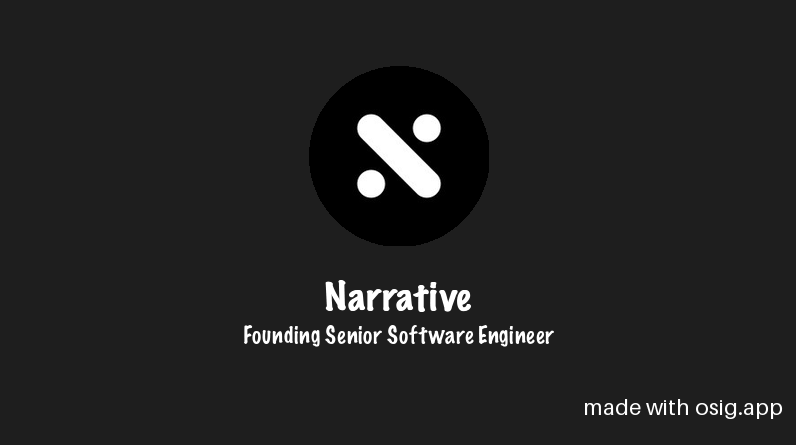
This is the that I use to generate the image:
https://osig.app/g?
  site=x
  &style=logo
  &font=markerfelt
  &title=Narrative
  &subtitle=Founding Senior Software Engineer
  &image_url=http://res.cloudinary.com/built-with-django/image/upload/v1728024021/user-profile-image-prod/hhxfplsthiaytuttoamc.jpg
Wave 1 ships three production-ready job-board styles:
job_classic: full-bleed background + high-contrast copyjob_logo: role-focused copy with circular logo slotjob_clean: minimal white layout with accent bar and logo slot
All three templates support the same core fields:
titlesubtitleeyebrowimage_or_logo(alias forimage_url)
Copy is safely truncated to keep layouts stable for long job titles/descriptions.
Example:
https://osig.app/g?
  site=x
  &style=job_logo
  &font=helvetica
  &title=Senior Django Engineer
  &subtitle=Build reliable product features and own the roadmap.
  &eyebrow=Remote · Full-time
  &image_or_logo=https://example.com/company-logo.png
- Helvetica
- Markerfelt
- Papyrus



Once you insert this link on your site, make sure to test it before sharing links online. I like to use this Twitter Card Validator
- Subtitle text is truncated to 150 characters if longer.
- You can remove the watermark by subscribing to the PRO version.
As people use this, I will start adding more specific instructions on how to add these to your specific site that might use different technologies:
- Wordpress
- Django
- Astro
- Ruby on Rails
- Next.js
- etc.
Use this endpoint when you need tamper-proof URLs with expiration.
POST /api/sign
Request body example:
{
  "params": {
    "style": "logo",
    "site": "x",
    "title": "Narrative",
    "subtitle": "Founding Senior Software Engineer",
    "image_url": "https://example.com/logo.png",
    "format": "jpeg",
    "quality": 80,
    "v": "2026-02-26"
  },
  "expires_in_seconds": 3600
}
Response shape:
{
  "signed_url": "https://osig.app/g?...&exp=...&sig=...",
  "expires_at": "2026-02-26T12:34:56+00:00"
}
Validation rules on GET /g:
- Tampered signed params ->
403 - Expired signed links ->
403 - Unsigned links still work for backwards compatibility
GET /g now supports:
format=png|jpegquality=1..100max_kb=<int>(best-effort size targeting for jpeg)
Content type is set explicitly:
- PNG ->
image/png - JPEG ->
image/jpeg
GET /g responses now include explicit cache headers.
- Unsigned URLs:
Cache-Control: public, max-age=31536000, immutable - Signed URLs:
Cache-Control: public, max-age=<seconds until exp>
Use v to force cache key rotation without changing title/subtitle payload:
- Keep your normal OG params.
- When image content changes, bump
v(for example,v=2026-03-01). - Re-embed/re-publish URLs with the new
vvalue. - If using signed URLs, regenerate via
POST /api/signsosigmatches the new params.
Social preview refresh checklist:
- Bump
v - Regenerate signed URL (if signed)
- Re-deploy metadata with the new URL
- Re-validate on social debuggers (X Card Validator / LinkedIn Post Inspector / Facebook Sharing Debugger)
GET /onboarding now exposes a 5-step guided wizard that outputs:
- signed OG image URL (reuses
POST /api/sign) - copy-ready OG/Twitter meta tags
- validation links (X/Twitter, Facebook, LinkedIn, Google rich results)
Backend helper endpoint used by the wizard:
POST /api/onboarding/meta
Example:
{
  "page_url": "https://example.com/jobs/senior-engineer",
  "style": "job_logo",
  "site": "x",
  "font": "helvetica",
  "title": "Senior Engineer",
  "subtitle": "Ship reliable backend systems",
  "eyebrow": "Remote · Full-time",
  "image_url": "https://example.com/logo.png",
  "format": "jpeg",
  "quality": 80,
  "version": "v2026-02-26"
}
Response:
{
  "signed_url": "https://osig.app/g?...&exp=...&sig=...",
  "expires_at": "2026-02-26T12:34:56+00:00",
  "meta_tags": "<meta ... />\n<meta ... />",
  "validation_links": {
    "Twitter/X Card Validator": "https://cards-dev.twitter.com/validator?url=..."
  }
}Keyed requests to /g now include per-key usage metering with configurable limits.
Config via environment:
OSIG_DAILY_USAGE_LIMIT(default:1000)OSIG_MONTHLY_USAGE_LIMIT(default:10000)OSIG_USAGE_WARNING_PERCENT(default:0.8)
Behavior:
- warns when usage crosses warning threshold (
X-OSIG-Quota-Warning) - blocks at configured quota with
429 - exposes counters via:
X-OSIG-Daily-UsageX-OSIG-Monthly-Usage
Backward compatibility:
- existing no-key
/gflows remain unchanged
Admin visibility:
- usage records are visible in Django admin (
ProfileUsage) and sorted by monthly usage for top-key visibility.
Render pipeline now ships with:
- structured error taxonomy
- transient retry policy
- render-attempt metrics for fail-rate + p95 visibility
Config:
OSIG_RENDER_MAX_ATTEMPTS(default2)OSIG_IMAGE_FETCH_TIMEOUT_SECONDS(default8)
Observability endpoint (superuser API key required):
GET /api/admin/render-metrics?api_key=<key>&hours=24
Example response:
{
  "window_hours": 24,
  "total_attempts": 120,
  "failed_attempts": 6,
  "fail_rate_percent": 5.0,
  "p95_render_ms": 284,
  "error_counts": {
    "transient_upstream_fetch": 4,
    "validation_error": 2
  }
}POST /api/integrations/wordpress maps common WordPress fields to OSIG params and returns a ready signed URL.
- maps
post_title,post_name,excerpt/description,featured_image_url/featured_image/logo - supports
quality,max_kb,versionand cache-friendly URL parameters - applies image fallback chain:
featured_image_urlfeatured_imagelogo_urlfallback_image_url- no image fallback
Returns:
signed_urlexpires_atmapped_fieldsfallbackssnippet(PHP helper sample)
- Add instruction on how to self host.
- Add more styles.
- Add more fonts.
- Add more sites.