


📚 Complete documentation available at flutter-it.dev Explore comprehensive guides, examples, and best practices for the entire ecosystem!
A convenience package that imports the entire flutter_it ecosystem in one go.
🏗️ This is the ideal starting point for implementing Practical Flutter Architecture (PFA) — a pragmatic, production-ready architecture that emphasizes simplicity, testability, and maintainability. The flutter_it packages provide all the building blocks you need.
Instead of adding four separate dependencies:
dependencies:
  get_it: ^9.0.0
  watch_it: ^2.0.0
  command_it: ^8.0.0
  listen_it: ^5.3.0
Just add one:
dependencies:
  flutter_it: ^1.0.0
And import once:
import 'package:flutter_it/flutter_it.dart';This package re-exports all four flutter_it packages:
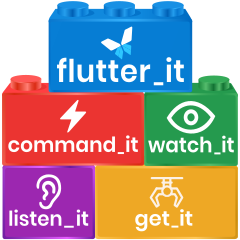
- get_it - Service locator and dependency injection
- watch_it - Reactive state management built on get_it
- command_it - Command pattern with automatic loading/error states
- listen_it - ValueListenable operators and reactive collections
Important: flutter_it is a construction set of independent packages, not a monolithic framework.
- Each package works standalone
- Packages are independent building blocks
- Use one or combine several - you choose
- Start with what you need, add more later
You don't need all packages to use this import - if you only use get_it and watch_it in your code, that's perfectly fine. The other packages are available when you need them.
import 'package:flutter_it/flutter_it.dart';

// Use get_it for dependency injection
final getIt = GetIt.instance;

void setup() {
  getIt.registerSingleton<ApiService>(ApiService());
}

// Use watch_it for reactive UI
class MyWidget extends WatchingWidget {
  @override
  Widget build(BuildContext context) {
    final api = watchIt<ApiService>();
    final data = watchValue((DataModel m) => m.value);

    return Text('$data');
  }
}

// Use command_it for async operations with loading states
final loginCommand = Command.createAsync<bool, LoginCredentials>(
  (credentials) async => apiLogin(credentials),
  initialValue: false,
);

// Use listen_it for ValueListenable operators
final filteredItems = itemsNotifier
    .where((items) => items.length > 0)
.map((items) => items.take(10));If your project only needs one or two packages from the ecosystem (e.g., just get_it), you might prefer importing them individually to keep your dependencies minimal. This convenience package is ideal when:
- You're using multiple flutter_it packages
- You want to explore the ecosystem without managing multiple imports
- You prefer a single import for cleaner code
This package and all flutter_it packages include AI skill files in their skills/ directories that help AI coding assistants
(Claude Code, Cursor, GitHub Copilot, and others) generate correct code using the ecosystem.
The skill files teach AI tools critical rules, common patterns, and anti-patterns specific to each package. They follow the Agent Skills open standard.
- Documentation: https://flutter-it.dev
- Discord Community: https://discord.gg/ZHYHYCM38h
For detailed guides on each package, visit the documentation site.
- get_it on pub.dev | GitHub
- watch_it on pub.dev | GitHub
- command_it on pub.dev | GitHub
- listen_it on pub.dev | GitHub
If you find the flutter_it ecosystem useful, consider sponsoring the development.
