Developer-first HTTP load testing — run from the terminal or a browser-based UI.
LoadForge is an open-source HTTP load testing tool built for developers and QA engineers who want to stress-test their APIs without fighting complex configuration or expensive SaaS platforms. Write a simple YAML scenario, point it at your API, and LoadForge hammers it with concurrent workers while giving you live metrics in a clean terminal UI or a browser dashboard.
Most load testing tools are either too heavy (JMeter, Gatling) or too limited (ab, wrk). LoadForge sits in the middle:
- Zero dependencies — a single binary, no JVM, no Node, no Docker required
- Two interfaces — use the CLI for scripts and CI pipelines, or the web UI for interactive testing
- OpenAPI / Swagger support — point at an API spec URL and LoadForge generates and runs the scenario for you
- Multiple load profiles — constant, ramp, step, and spike traffic patterns out of the box
- Assertions & SLA thresholds — define pass/fail criteria and catch regressions automatically
- History tracking — every run is persisted so you can compare results over time
| Feature | Description |
|---|---|
| Web UI | Browser-based dashboard to trigger, monitor, and review tests |
| OpenAPI / Swagger import | Auto-generate scenarios from OpenAPI 3.x and Swagger 2.0 specs |
| HAR file support | Convert or replay browser HAR recordings as load tests |
| Load profiles | constant, ramp, step, spike — choose how traffic behaves |
| Assertions | Define SLA thresholds (p95 latency, error rate, RPS) with pass/fail results |
| Auth support | Basic auth, Bearer tokens, and custom header auth per request step |
| Variable injection | Pass variables via --var flags or a .env file |
| History | Persistent run history with per-request breakdown |
| Password protection | Secure the web UI with bcrypt-hashed credentials |
| Multi-platform | Linux, macOS, and Windows — amd64 and arm64 |
curl -fsSL https://github.com/farhapartex/loadforge/releases/latest/download/install.sh | sudo bashThis installs both loadforge (CLI) and loadforge-web (web UI server) to /usr/local/bin/, creates ~/.loadforge/ with a default configuration, and automatically starts the web UI as a background service. Open http://localhost:8090 immediately after installation — no extra commands needed.
Default credentials: admin / admin
sudo loadforge --uninstallThis stops and removes the background service, removes both binaries from /usr/local/bin/, and deletes the ~/.loadforge/ data directory.
After installation the web UI starts automatically. Open http://localhost:8090 in your browser.
Default credentials: admin / admin
Paste an OpenAPI or Swagger spec URL, set your load parameters, and click Start Test. Live logs stream to the dashboard. Past runs appear under History.
| Profile | Use case |
|---|---|
constant |
Fixed workers for the full duration — steady baseline benchmark |
ramp |
Gradually increase workers — find the degradation point without shock |
step |
Add workers in increments — observe how latency changes as load grows |
spike |
Base workers with periodic bursts — test recovery after a traffic surge |
Assertions let you define SLA thresholds that automatically mark a test as passed or failed.
Available metrics: p50_latency, p90_latency, p95_latency, p99_latency, avg_latency, max_latency, rps, error_rate, success_rate, total_requests, total_errors
Available operators: less_than, less_than_or_equal, greater_than, greater_than_or_equal, equal
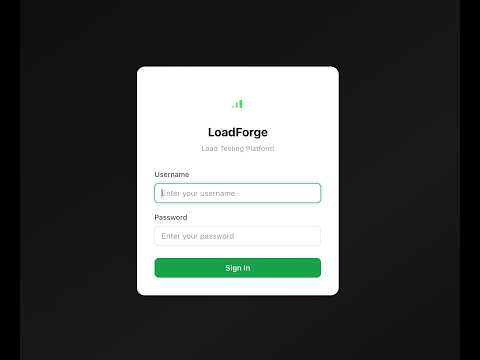
New to LoadForge? Watch the full demo — installation, running your first test, and reviewing results in under 4 minutes.
Have a question, found a bug, or want to suggest a feature?
- Email: hasan08sust@gmail.com
- GitHub Issues: github.com/farhapartex/loadforge/issues
Contributions are welcome. Open a pull request or start a discussion in Issues.
LoadForge is released under the MIT License.