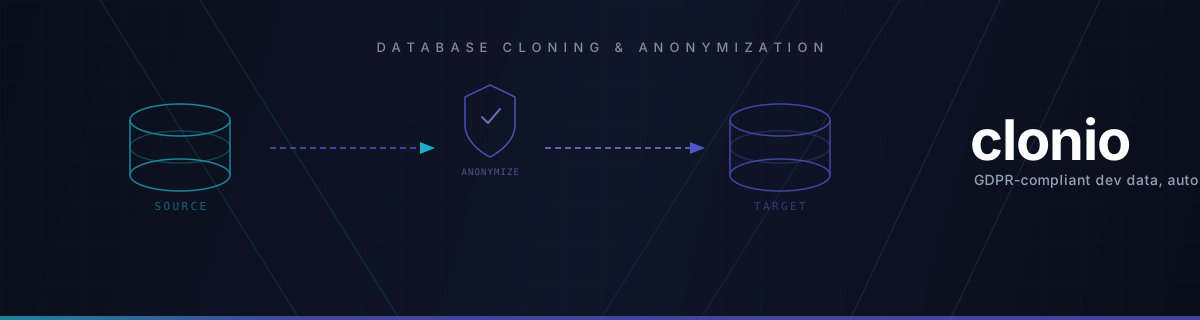
Clone production databases. Anonymize PII. Stay GDPR-compliant.
A terminal-first CLI. Runs in your infrastructure. MIT licensed.


Clonio is a command-line tool that clones production-like database data into development, test, staging, and CI environments — applying anonymization, schema synchronization, key remapping, and signed audit logs along the way.
Development teams need production-like data to build and test effectively — but production databases contain personally identifiable information (PII) that cannot be used outside production. GDPR, DSGVO, and other privacy regulations make this non-negotiable. A single unmasked email address in a test environment can lead to compliance violations and fines.
Clonio solves this: it reads from your source database, applies the transformation rules you define in a .cloning.yaml file, synchronizes the target schema where configured, and writes clean, privacy-compliant data to your target environment. Fully automated, fully auditable — straight from the terminal.
There is no web application to operate. Clonio is built for terminal-first workflows: local scripts, Docker, Composer, cron jobs, GitHub Actions, GitLab CI, and other pipeline runners.
┌─────────────────┐         ┌──────────────────┐         ┌──────────────────┐
│   Source DB     │  ────►  │   clonio CLI     │  ────►  │   Dev / Test /   │
│  (production)   │         │  Anonymization   │         │   Staging / CI   │
└─────────────────┘         └──────────────────┘         └──────────────────┘
                                     ▲
                     Fake · Mask · Hash · Null · Static · Keep
- Multi-database support — MySQL, MariaDB, PostgreSQL, and more. Cross-database cloning supported.
- Connection management — Store source and target connections in a local
clonio.jsonfile with encrypted passwords. - PII-aware config generation — Inspect a source database and generate a
.cloning.yamlwith suggested transformations from a built-in PII matcher set. - Column transformations — Use
fake,hash,mask,null,static, orkeepstrategies per column, per table. - Row selection — Transfer full tables or only the first/last N rows. Foreign-key aware so referential integrity is preserved.
- Schema synchronization — Create missing tables and optionally add or remove columns/tables on the target.
- Key remapping — Replace primary keys and rewrite foreign keys consistently across the dataset.
- Signed audit logs — Every run produces a cryptographically signed (HMAC-SHA256), tamper-evident audit artefact documenting what was run and which configuration was applied.
- Audit delivery channels — Ship audit logs to local files, stdout/stderr, S3, email, Slack, Microsoft Teams, or ntfy.
- CI-friendly execution —
--cimode, meaningful exit codes, Docker, and Composer integration for pipelines.
Clonio runs inside your infrastructure. Your data never leaves your network. No cloud dependency, no data transfer to third parties. You control where it runs, how it's configured, and who has access.
Clonio CLI is MIT licensed. Everyone can use it freely — including commercial users — with no usage restrictions, no per-seat pricing, and no feature gates.
Full license text:
LICENSE.md
There is no pricing plan for the CLI. If Clonio is useful to you or your organization, sponsorships and donations are welcome through GitHub Sponsors. Sponsorship helps fund ongoing maintenance, new database drivers, better anonymization strategies, and documentation.

Download the binary for your platform from the latest release — the platform binaries are fully self-contained, no PHP required.
# macOS (Apple Silicon)
mv clonio-macos-aarch64 clonio
chmod +x clonio
mv clonio /usr/local/bin/clonio

# linux (x86_64/aarch64)
mv clonio-linux-* clonio
chmod +x clonio

# Then bootstrap Clonio and run your first clone
clonio init
clonio connection:add production --production
clonio connection:add local-dev
clonio cloning:dump --connection production
clonio cloning:run production.cloning.yaml --target local-dev
Prefer Docker, Phar or Composer? Run it as a one-off container or require it as a dev dependency:
# Docker
docker run --rm -v "$(pwd)":/workspace ghcr.io/clonio-dev/clonio:latest --version

# Composer (dev dependency)
composer require --dev clonio-dev/clonio-cli
See the Installation Guide for all platforms, Docker tags, and CI setup.
- Add connections — Configure your source (production) and target (dev/staging/CI) database credentials in
clonio.json. - Generate a config — Run
cloning:dumpto inspect the source and produce a.cloning.yamlwith PII-aware transformation suggestions. - Review & edit — Tune anonymization strategies per column, set row limits, and configure key remapping in the YAML file.
- Run — Execute manually or in CI. Clonio synchronizes the schema, transfers data in chunks, and applies all transformation rules.
- Audit — Review the cryptographically signed audit log for compliance documentation, and deliver it to your chosen channels.
Full documentation lives at clonio.dev (served via GitHub Pages):
Built in Germany. Made for teams who take data privacy seriously.
Website ·
Documentation ·
Sponsor ·
Issues