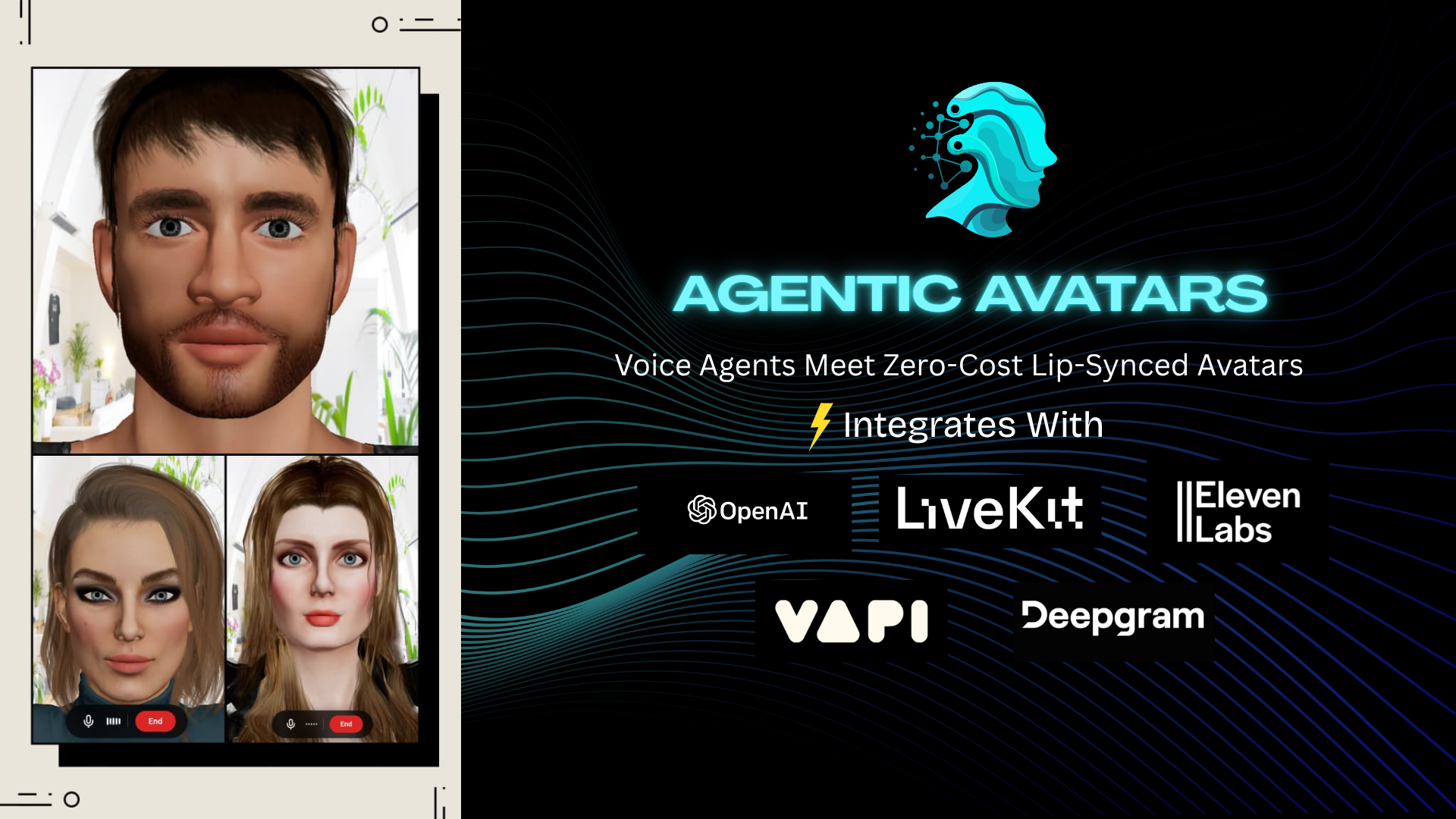


Zero-Infrastructure Lip-Synced 3D avatar components for AI voice agents. Drop it into any React app, pick a provider, and hand it your credentials — everything else is handled internally. No Infrastructure provisioning for 3D avatars. Runs Directly on Browser.
Supported providers: OpenAI Realtime API, Deepgram Voice Agents, ElevenLabs Conversational AI Agents, Vapi Agents, LiveKit Agents.
| Peer dependency | Version |
|---|---|
@react-three/drei |
≥ 10 |
@react-three/fiber |
≥ 9 |
react |
≥ 18 |
react-dom |
≥ 18 |
three |
≥ 0.160 |
@deepgram/sdk |
≥ 5.0.0 |
@elevenlabs/react |
≥ 1.0.2 |
@vapi-ai/web |
≥ 2.5.2 |
livekit-client |
2.16.1 |
Optional depending on your provider usecase:
@deepgram/sdk
@elevenlabs/react
@vapi-ai/web
livekit-client
npm install agentic-avatarsUses the OpenAI Realtime API over WebRTC. Requires a server-side endpoint to mint ephemeral session keys.
import { OpenAIAvatarAgent } from "agentic-avatars/openai";
import { Jane } from "agentic-avatars";
import type { OpenAIRealtimeTool } from "agentic-avatars";

const tools: OpenAIRealtimeTool[] = [
  {
    name: "get_product_price",
    description: "Returns the current price of a product.",
    parameters: {
      type: "object",
      properties: {
        product_name: { type: "string", description: "Name of the product" },
      },
      required: ["product_name"],
    },
    handler: ({ product_name }) => {
      const prices: Record<string, string> = {
        "apple iphone 15 pro max": "$1,199",
        "samsung galaxy s23 ultra": "$1,099",
        "sony wh-1000xm5": "$349",
        "dell xps 13": "$999",
        "amazon echo dot": "$49",
      };
      const price =
        prices[(product_name as string).toLowerCase()] ?? "Price not available";
      return { product_name, price };
    },
  },
];

<OpenAIAvatarAgent
  backgroundImages={["/niceBG.jpg"]}
  avatarComponent={Jane}
  agentVoice="nova"
  tools={tools}
  getEphemeralKey={async () => {
    const res = await fetch("/api/realtime-session");
    const { client_secret } = await res.json();
    return client_secret;
  }}
/>;
Backend — ephemeral key endpoint
// app/api/realtime-session/route.ts  (Next.js App Router)
import OpenAI from "openai";

const openai = new OpenAI({
  apiKey: process.env.REACT_APP_OPENAI_API_KEY,
});

const sys_prompt = `
# ROLE
You are a product recommendation assistant for Amazon who answers user questions and recommends products based on their preferences.
at initial greeting, say 'Hello! I am Jane, a product specialist at Amazon. I can help you find products — feel free to tell me what you are looking for!'
DO NOT repeat it again.

These are currently available products:
1. Apple iPhone 15 Pro Max - iPhone 15 Pro Max delivers premium performance with a lightweight titanium design, stunning 6.7-inch Super Retina XDR display with ProMotion, and the powerful A17 Pro chip. Capture incredible detail with its advanced Pro camera system featuring a 48MP main sensor and 5x optical zoom.
2. Samsung Galaxy S23 Ultra - A high-end Android phone with a stunning display, versatile cameras, and long battery life.
3. Sony WH-1000XM5 Wireless Noise-Canceling Headphones - Premium headphones with industry-leading noise cancellation, exceptional sound quality, and comfortable design.
4. Dell XPS 13 Laptop - A sleek and powerful ultrabook with a stunning InfinityEdge display, Intel Core i7 processor, and long battery life.
5. Amazon Echo Dot (5th Gen) - A compact smart speaker with Alexa voice assistant, perfect for controlling smart home devices, playing music, and getting information.
Always recommend products based on the user's preferences and needs. If the user asks for a specific product, provide information about it and suggest similar alternatives if available.
When the user says goodbye or is done, say "this is the end" to close the session.

# TOOLS
if user asks for product prices, use the get_product_price tool to retrieve the current price of the product and include it in your response.
`;

export async function GET() {
  const session = await openai.realtime.clientSecrets.create({
    session: {
      type: "realtime",
      model: "gpt-realtime-mini-2025-10-06",
      instructions: sys_prompt,
    },
  });

  return Response.json({ client_secret: session.value });
}| Prop | Type | Default | Description |
|---|---|---|---|
systemPrompt |
string |
required | Instructions injected into the realtime agent on connect. |
getEphemeralKey |
() => Promise<string> |
required | Called once per connection. Must resolve to an OpenAI ephemeral key. |
tools |
ReturnType<typeof tool>[] |
[] |
Tools the agent can call. Use the tool() helper from @openai/agents/realtime. |
agentVoice |
string |
"sage" |
OpenAI Realtime voice. Options: alloy ash ballad coral echo sage shimmer verse. |
Uses the Deepgram Voice Agent API over WebSocket. Handles STT, LLM, and TTS in a single connection. Never expose your Deepgram API key in the browser — proxy it through your backend.
import { DeepgramAvatarAgent } from "agentic-avatars/deepgram";
import type { DeepgramTool } from "agentic-avatars";
import { Jane } from "agentic-avatars";

const sys_prompt = `
# ROLE
You are a product recommendation assistant for Amazon who answers user questions and recommends products based on their preferences.
At initial greeting, say 'Hello! I am Jane, a product specialist at Amazon. I can help you find products — feel free to tell me what you are looking for!'
DO NOT repeat it again.

These are currently available products:
1. Apple iPhone 15 Pro Max - iPhone 15 Pro Max delivers premium performance with a lightweight titanium design, stunning 6.7-inch Super Retina XDR display with ProMotion, and the powerful A17 Pro chip.
2. Samsung Galaxy S23 Ultra - A high-end Android phone with a stunning display, versatile cameras, and long battery life.
3. Sony WH-1000XM5 Wireless Noise-Canceling Headphones - Premium headphones with industry-leading noise cancellation, exceptional sound quality, and comfortable design.
4. Dell XPS 13 Laptop - A sleek and powerful ultrabook with a stunning InfinityEdge display, Intel Core i7 processor, and long battery life.
5. Amazon Echo Dot (5th Gen) - A compact smart speaker with Alexa voice assistant, perfect for controlling smart home devices, playing music, and getting information.
Always recommend products based on the user's preferences and needs.
When the user says goodbye or is done, say "this is the end" to close the session.

# TOOLS
If the user asks for product prices, use the get_product_price tool to retrieve the current price and include it in your response.
`;

const tools: DeepgramTool[] = [
  {
    name: "get_product_price",
    description: "Returns the current price of a product.",
    parameters: {
      type: "object",
      properties: {
        product_name: { type: "string", description: "Name of the product" },
      },
      required: ["product_name"],
    },
    handler: ({ product_name }) => {
      const prices: Record<string, string> = {
        "apple iphone 15 pro max": "$1,199",
        "samsung galaxy s23 ultra": "$1,099",
        "sony wh-1000xm5": "$349",
        "dell xps 13": "$999",
        "amazon echo dot": "$49",
      };
      const price =
        prices[(product_name as string).toLowerCase()] ?? "Price not available";
      return { product_name, price };
    },
  },
];

export default function DeepgramAvatarTest() {
  return (
    <div style={{ width: "100vw", height: "100vh" }}>
      <DeepgramAvatarAgent
        avatarComponent={Jane}
        // YOU SHOULD NEVER EXPOSE YOUR DEEPGRAM API KEY IN THE BROWSER IN PRODUCTION.
        // FOR PRODUCTION USE: proxy the key through your backend.
        getApiKey={async () => process.env.REACT_APP_DEEPGRAM_API_KEY!}
        systemPrompt={sys_prompt}
        llm={{ provider: "open_ai", model: "gpt-4o-mini" }}
        voice="aura-2-thalia-en"
        sttModel="nova-3"
        tools={tools}
        backgroundImages={["/niceBG.jpg"]}
        onSessionEnd={() => alert("Session ended")}
        sessionTimeout={2 * 60 * 1000}
      />
    </div>
  );
}| Prop | Type | Default | Description |
|---|---|---|---|
getApiKey |
() => Promise<string> |
required | Returns a Deepgram API key. Proxy through your backend in production. |
systemPrompt |
string |
— | System prompt / instructions for the LLM. |
llm |
{ provider?, model? } |
{ provider: "open_ai", model: "gpt-4o-mini" } |
LLM provider and model. Providers: open_ai anthropic x_ai groq amazon google. |
voice |
string |
"aura-2-thalia-en" |
Deepgram TTS voice. See Deepgram TTS models. |
sttModel |
string |
"nova-3" |
Deepgram STT model. |
Uses the ElevenLabs Conversational AI SDK. Configure your agent in the ElevenLabs dashboard and pass its ID here.
import { ElevenLabsAvatarAgent } from "agentic-avatars/elevenlabs";
import { Jane } from "agentic-avatars";

// Public agent (no auth required)
<ElevenLabsAvatarAgent
  agentId="your-agent-id"
/>

// Private agent (fetch a short-lived token server-side)
<ElevenLabsAvatarAgent
  backgroundImages={["/niceBG.jpg"]}
  avatarComponent={Jane}
  agentId="your-agent-id"
  getConversationToken={async () => {
    const res = await fetch("/api/elevenlabs-token");
    const { token } = await res.json();
    return token;
  }}
/>
Backend — conversation token endpoint
// app/api/elevenlabs-token/route.ts
export async function GET(req: Request) {
  const agentId = new URL(req.url).searchParams.get("agentId");
  const res = await fetch(
    `https://api.elevenlabs.io/v1/convai/conversation/token?agent_id=${agentId}`,
    { headers: { "xi-api-key": process.env.ELEVENLABS_API_KEY! } },
  );
  return Response.json(await res.json());
}| Prop | Type | Default | Description |
|---|---|---|---|
agentId |
string |
required | Agent ID from the ElevenLabs dashboard. |
getConversationToken |
() => Promise<string> |
— | Required for private agents. Returns a short-lived WebRTC token. |
clientTools |
Record<string, (...args) => any> |
— | Client-side tools exposed to the agent. |
Uses the Vapi Web SDK. Configure your assistant in the Vapi dashboard or pass an inline configuration object.
import { VapiAvatarAgent } from "agentic-avatars/vapi";
import { Jane } from "agentic-avatars";

// Using a pre-configured assistant ID
<VapiAvatarAgent
  publicKey="your-vapi-public-key"
  assistantId="your-assistant-id"
/>

// Using an inline assistant config
<VapiAvatarAgent
  backgroundImages={["/niceBG.jpg"]}
  avatarComponent={Jane}
  publicKey="your-vapi-public-key"
  assistant={{
    model: {
      provider: "openai",
      model: "gpt-4o-mini",
      messages: [{ role: "system", content: "You are a helpful assistant." }],
    },
    voice: { provider: "11labs", voiceId: "sarah" },
  }}
/>| Prop | Type | Default | Description |
|---|---|---|---|
publicKey |
string |
required | Your Vapi public key (safe to expose in the browser). |
assistantId |
string |
— | Pre-configured assistant ID. Mutually exclusive with assistant. |
assistant |
Record<string, any> |
— | Inline assistant configuration object. Mutually exclusive with assistantId. |
Uses LiveKit Agents over WebRTC. Your LiveKit agent must be running server-side and the token must grant access to the correct room.
import { LiveKitAvatarAgent } from "agentic-avatars/livekit";
import { Jane } from "agentic-avatars";

<LiveKitAvatarAgent
  backgroundImages={["/niceBG.jpg"]}
  avatarComponent={Jane}
  serverUrl="wss://my-project.livekit.cloud"
  getToken={async () => {
    const res = await fetch("/api/livekit-token");
    const { token } = await res.json();
    return token;
  }}
/>;
Backend — participant token endpoint
// app/api/livekit-token/route.ts
import { AccessToken } from "livekit-server-sdk";
import { Jane } from "agentic-avatars";

export async function GET() {
  const token = new AccessToken(
    process.env.LIVEKIT_API_KEY!,
    process.env.LIVEKIT_API_SECRET!,
    { identity: `user-${Date.now()}` },
  );
  token.addGrant({ roomJoin: true, room: "agent-room" });
  return Response.json({ token: await token.toJwt() });
}| Prop | Type | Default | Description |
|---|---|---|---|
serverUrl |
string |
required | LiveKit server WebSocket URL, e.g. wss://my-project.livekit.cloud. |
getToken |
() => Promise<string> |
required | Returns a short-lived participant token. Generate server-side with the LiveKit server SDK. |
All provider components accept these additional props:
| Prop | Type | Default | Description |
|---|---|---|---|
avatarComponent |
ComponentType |
Jane |
Avatar to render. Pass a library-provided avatar or any custom React.ComponentType. |
backgroundImages |
string[] |
[] |
Image URLs for the scene background. One is chosen at random each mount. Transparent when omitted. |
onSessionEnd |
() => void |
— | Called when the session ends (end phrase detected, timeout, or user clicked End). |
endSessionPhrase |
string |
"this is the end" |
Case-insensitive substring the component watches for in the agent's transcript to end the session. |
sessionTimeout |
number |
600000 |
Hard timeout in milliseconds. |
className |
string |
— | Extra CSS class names on the outermost container div. |
The library ships a built-in avatar that is used by default. You can also pass any React component that renders a 3D scene element (intended for use inside a @react-three/fiber Canvas).
| Export | Description |
|---|---|
Jane |
Female avatar with a face rig. Loads the model from jsDelivr automatically. |
Fiona |
Female avatar with a face rig. Loads the model from jsDelivr automatically. |
Sam |
Male avatar with a face rig. Loads the model from jsDelivr automatically. |
Thanks Ravindu Wijethunga for helping with 3D models.
For full layout control, use AvatarAgent directly with an adapter hook. This lets you compose the avatar into your own UI without the built-in container styles.
import { AvatarAgent } from "agentic-avatars";
import { useDeepgramAdapter } from "agentic-avatars/deepgram";

function MyPage() {
  const adapter = useDeepgramAdapter({
    getApiKey: async () => {
      const res = await fetch("/api/deepgram-key");
      return (await res.json()).key;
    },
    systemPrompt: "You are a helpful assistant.",
  });

  return (
    <div className="my-layout">
      <AvatarAgent adapter={adapter} className="h-[600px]" />
    </div>
  );
}
All adapter hooks follow the same pattern:
useOpenAIAdapter(options); // → SessionAdapter
useDeepgramAdapter(options); // → SessionAdapter
useElevenLabsAdapter(options); // → SessionAdapter
useVapiAdapter(options); // → SessionAdapter
useLiveKitAdapter(options); // → SessionAdapterUser clicks Start
│
▼
Provider adapter connects (WebRTC / WebSocket)
│
├── Audio stream ──► Web Audio AnalyserNode ──► wawa-lipsync ──► morph targets on avatar
│
├── Transcript ──► endSessionPhrase check ──► onSessionEnd(), End
│
├── User clicks end ──► End
|
└── sessionTimeout ──► onSessionEnd(), End
src/
├── index.ts                    ← public exports
├── types.ts                    ← shared prop types
├── AvatarAgent.tsx             ← platform-agnostic core component
├── OpenAIAvatarAgent.tsx       ← provider convenience wrappers
├── DeepgramAvatarAgent.tsx
├── ElevenLabsAvatarAgent.tsx
├── VapiAvatarAgent.tsx
├── LiveKitAvatarAgent.tsx
├── avatars/
│   └── ...              ← contains avatar components
├── adapters/
│   ├── SessionAdapter.ts       ← adapter interface
│   ├── openai/
│   ├── deepgram/
│   ├── elevenlabs/
│   ├── vapi/
│   └── livekit/
├── scene/
│   ├── AvatarScene.tsx         ← camera, lights, transparency fix
│   └── Background.tsx          ← scene background from image array
└── audio/
    ├── lipsyncManager.ts       ← singleton Lipsync instance
    ├── useLipsync.ts           ← wires audio stream into lipsync analyser
    └── useAudio.ts             ← mic monitoring
all avatars have a component and 3D models were delivered though jsDelivr via this Repo's models branch.
first you should make sure your 3D model has face morphs with morph targets. These morph targets can be controlled via react three fiber. Then convert model to be usable in JS runtime using https://github.com/pmndrs/gltfjsx
1. create your 3D model with face morphs
2. convert your model using by running: npx gltfjsx your_model.glb --transform
3. this will provide an optimized glb and model JSX file. Adopt the JSX file to follow the format
4. now you have your model and react component
- To contribute to package source code raise PRs to
mainbranch - To contribute to 3D models: raise the PR to
modelsbranch adding a separate folder with the avatar name and GLB file in it. Then raise a PR tomainto add the avatar component — follow the format insrc/avatars/Jane.tsx.
agentic-avatars is free, open-source, and maintained in personal time.
If your product ships AI-powered conversations and this library saves you weeks of WebRTC wrangling, lip-sync work, and provider integration — consider sponsoring. Even a small recurring amount keeps new avatar models coming, more providers supported, and bugs fixed fast.
If you use agentic-avatars in academic work, a research demo, or a published product, a citation or acknowledgement is appreciated.
BibTeX
@software{peiris2025agenticavatars,
  author  = {Peiris, Navod},
  title   = {agentic-avatars: Zero-Infrastructure Lip-Synced 3D avatar components for AI voice agents},
  year    = {2026},
  url     = {https://github.com/navodPeiris/agentic-avatars},
  note    = {npm: agentic-avatars}
}
Plain text
Navod Peiris. agentic-avatars: Zero-Infrastructure Lip-Synced 3D avatar components for AI voice agents. 2026. https://github.com/navodPeiris/agentic-avatars
Acknowledgement (for README or paper footnote)
3D avatar and lip-sync powered by agentic-avatars.

