
StreamX is a self-hosted music platform that manage your personal library and YouTube Music into one fast, modern experience across Android, web
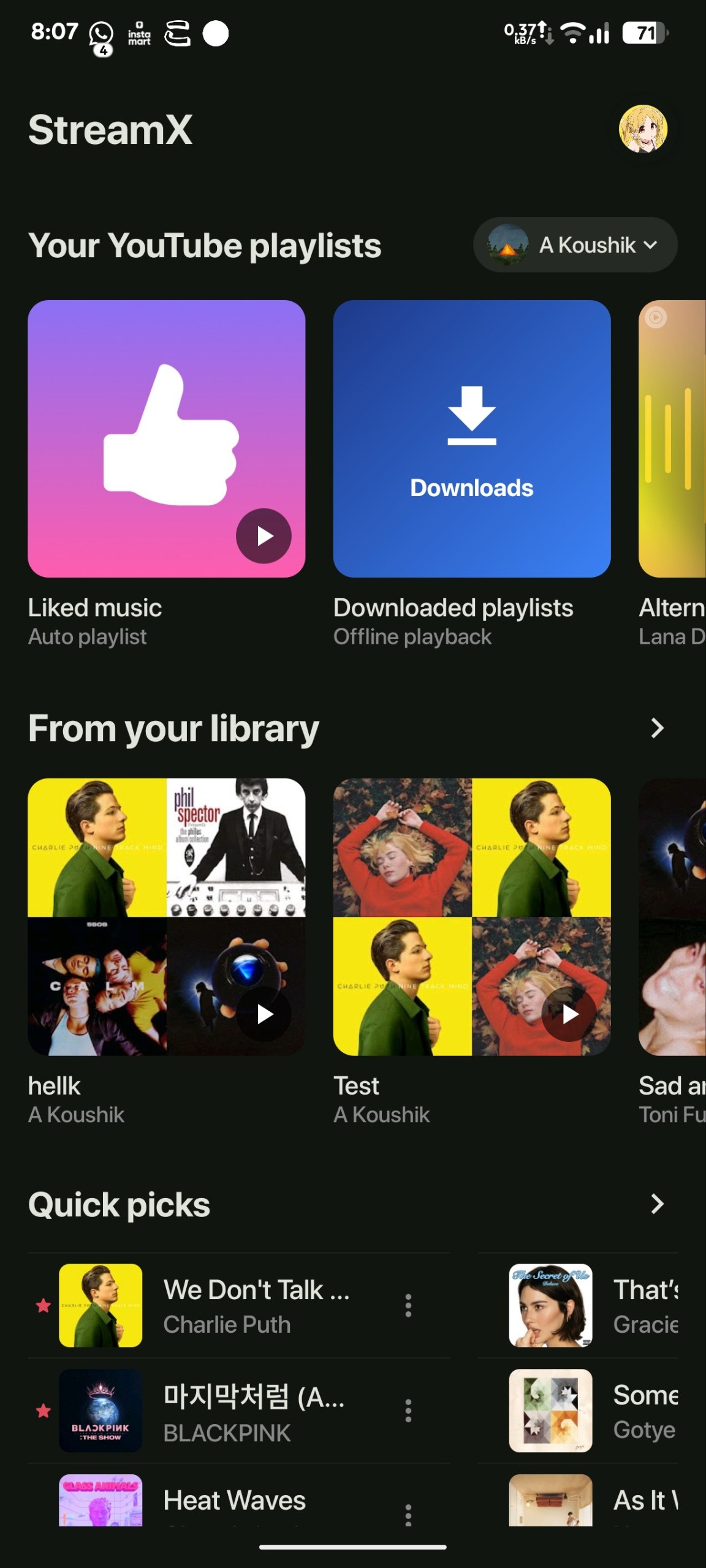
Stream, download, and organize your music with ease — from albums and artists to playlists and live jam sessions with friends.
No ads. No tracking. Just complete control.



StreamX is split into three projects that ship one experience:
stream: the root backend, API, Telegram ingit add . gestion layer, sharing routes, and deployment entrypointStreamX/: the Android appStreamXWeb/: the React web client
The result is a full self-hosted music platform with private infrastructure, cross-device playback, social features, share links, and polished clients on both mobile and web.
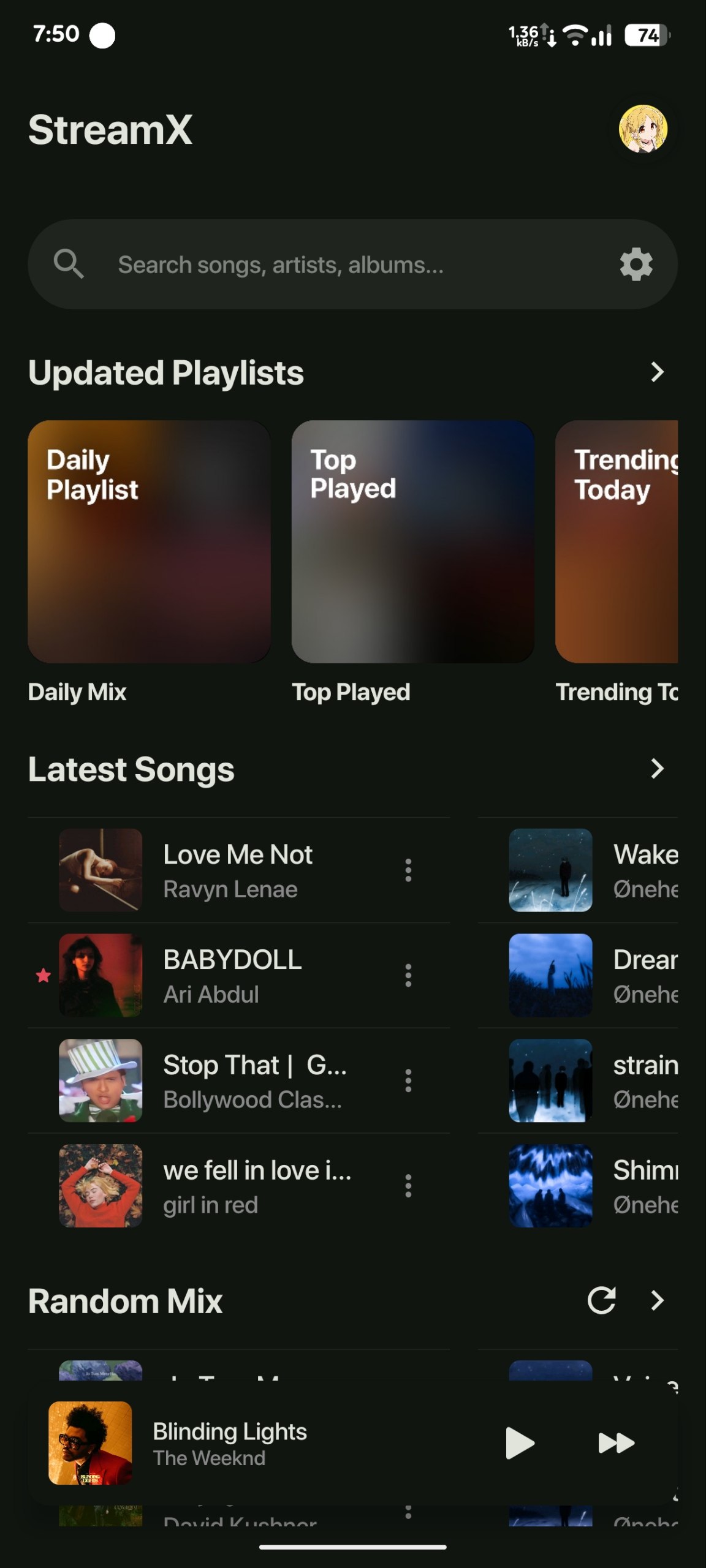
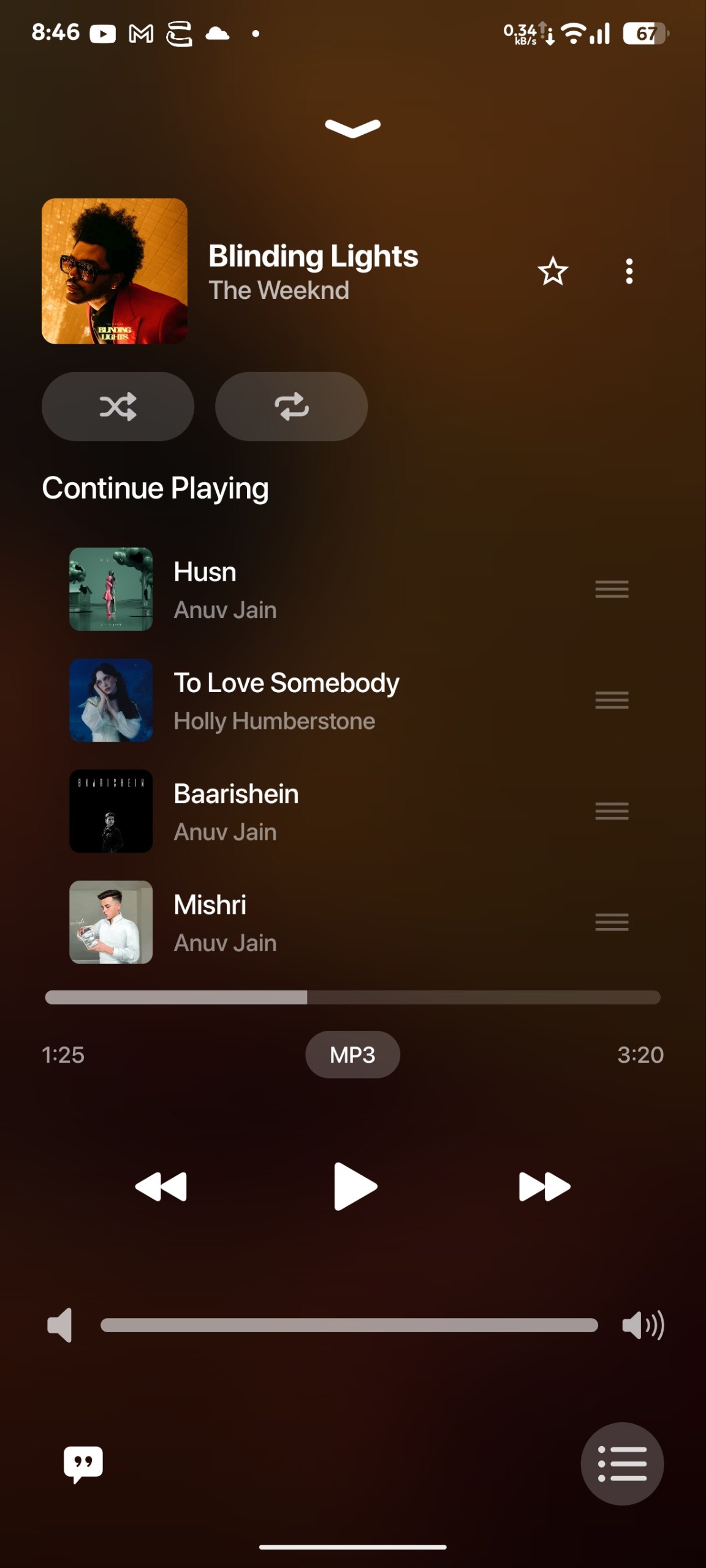
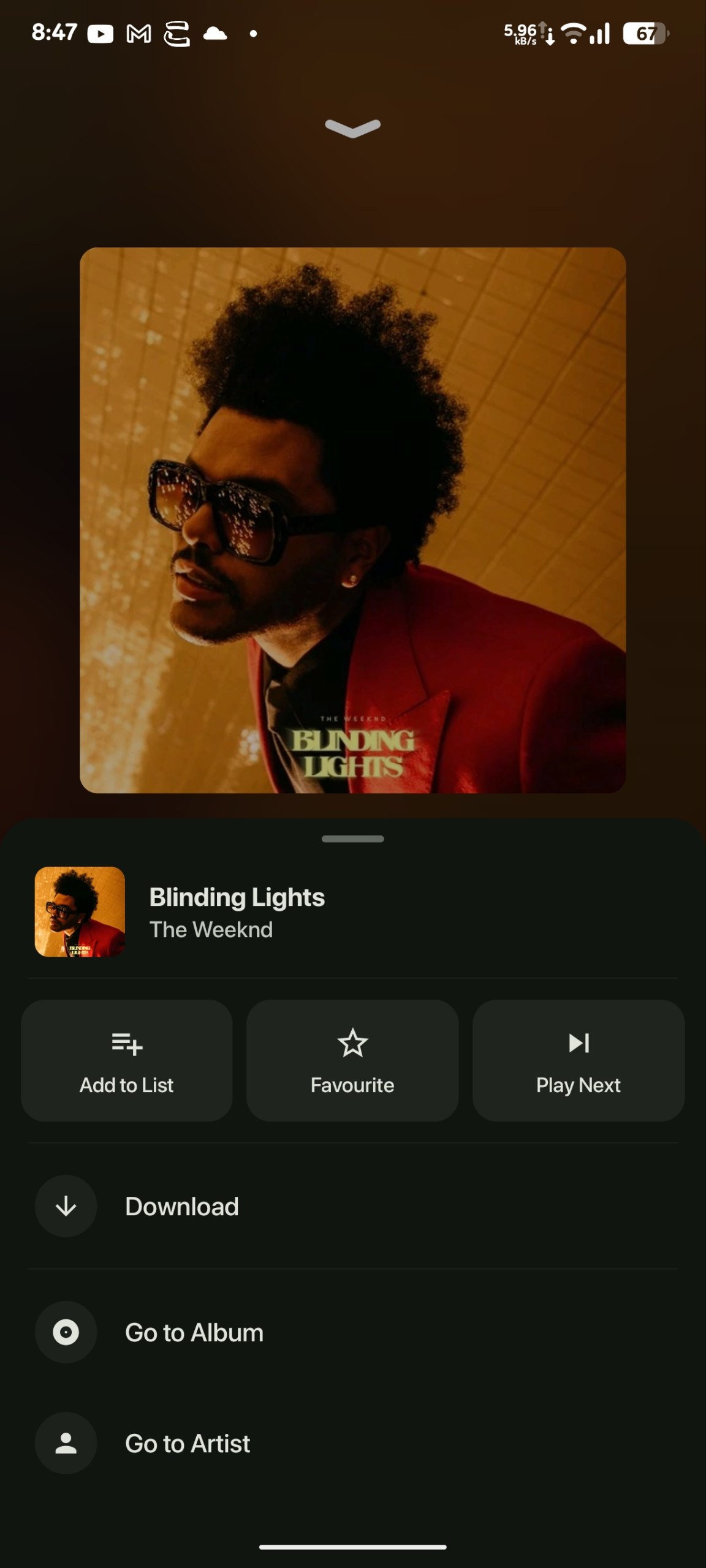
- fast playback with queue controls, play next, repeat, shuffle, and rich full-player interactions
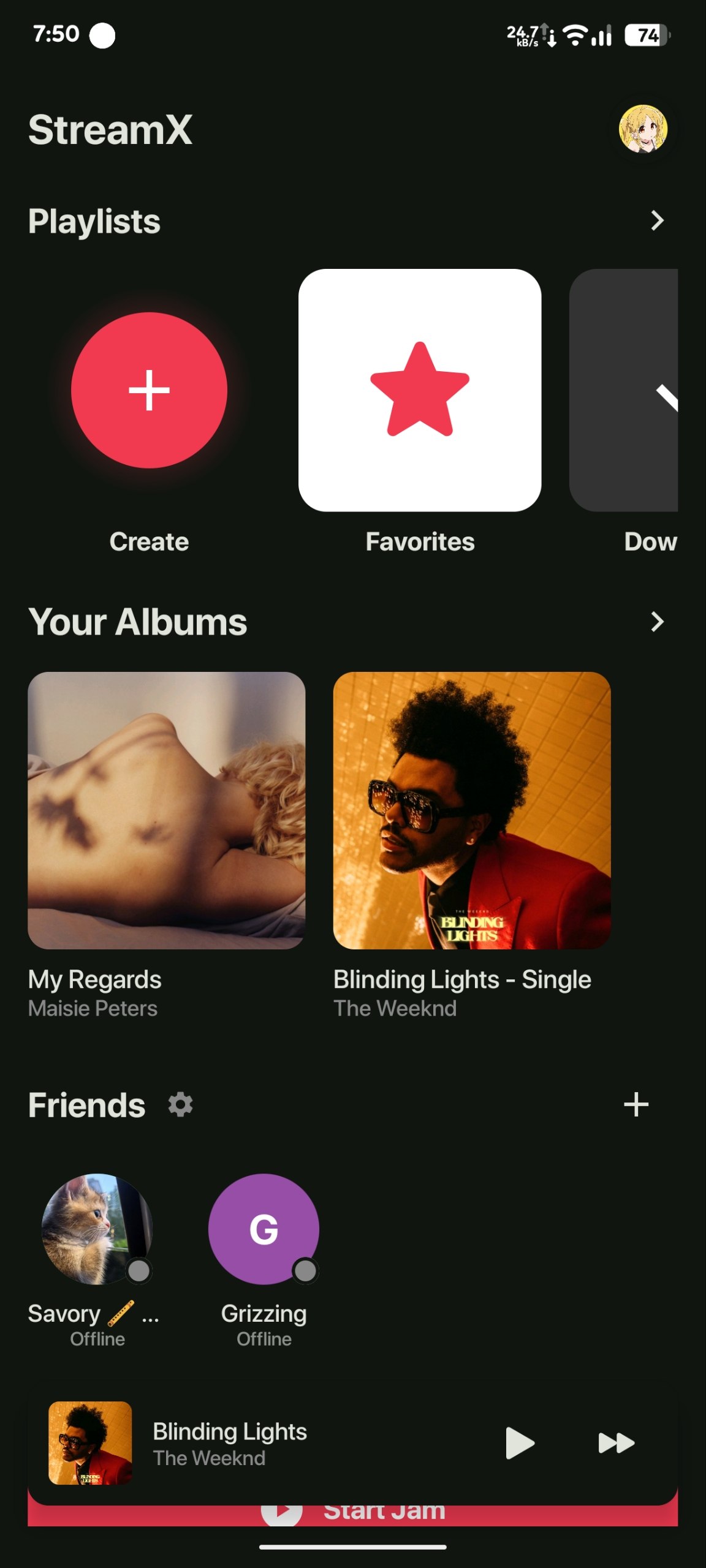
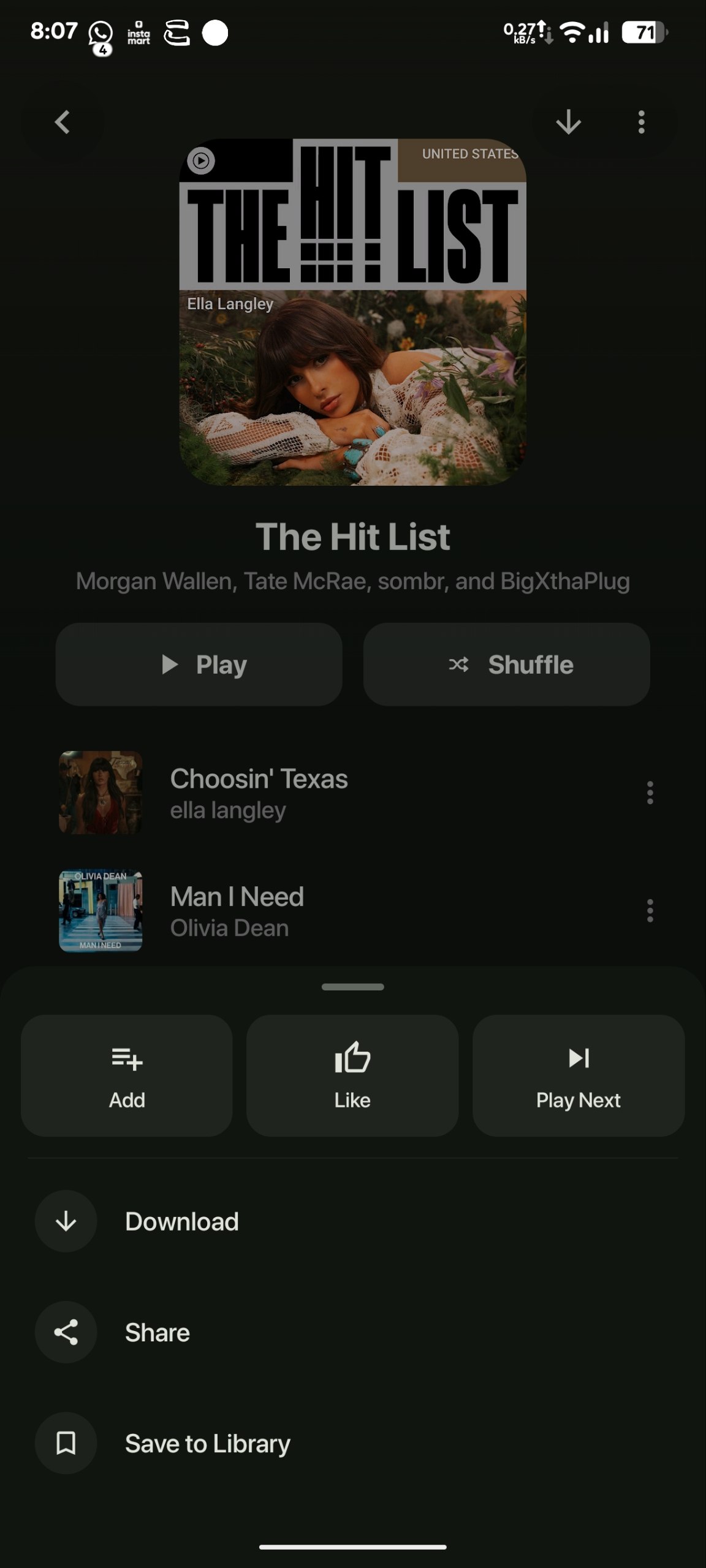
- favourites, saved albums, custom playlists, shared playlists, and top-played flows
- album, artist, track, and playlist navigation across both backend and provider-native content
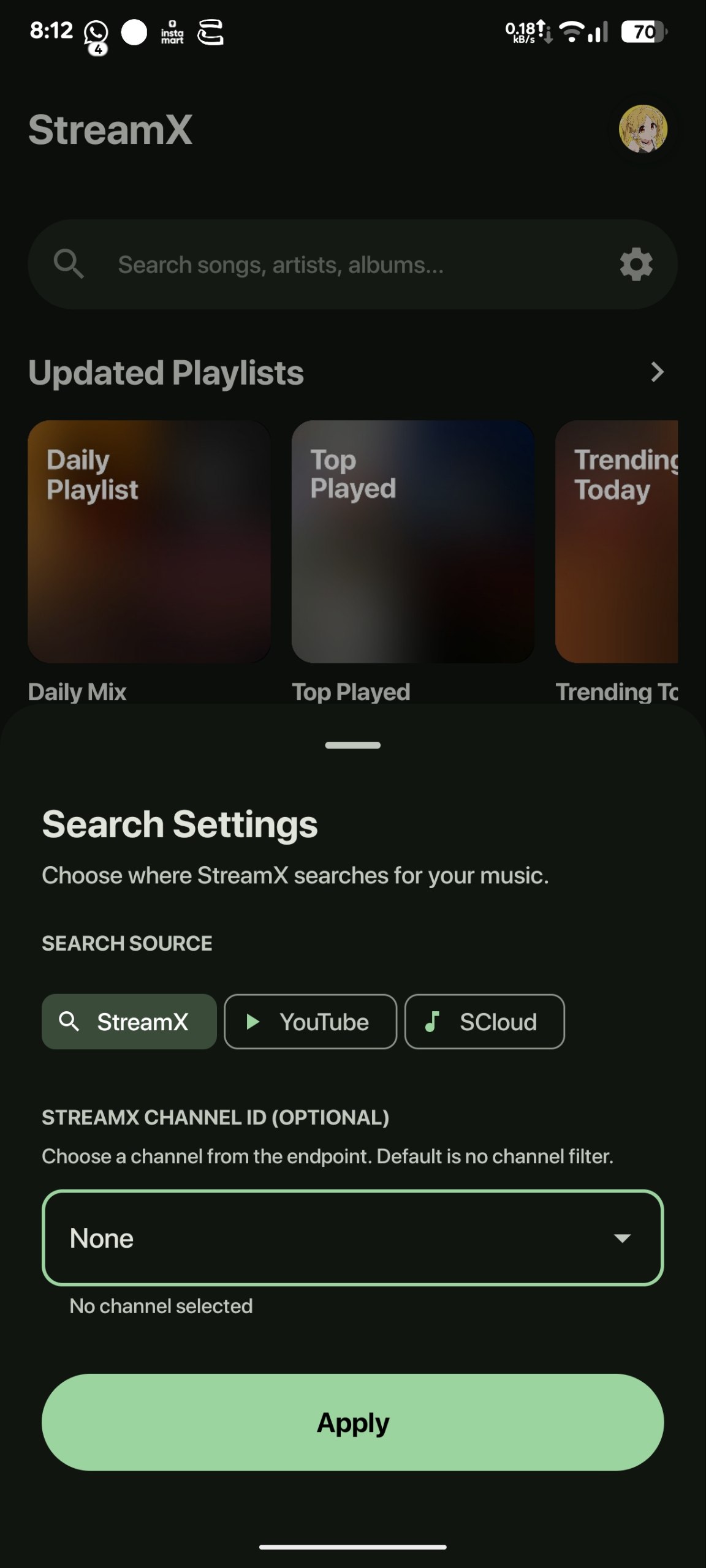
- seamless switching between the StreamX backend library and the YouTube provider inside the app
- YouTube track syncing so songs discovered on YouTube can be brought into StreamX
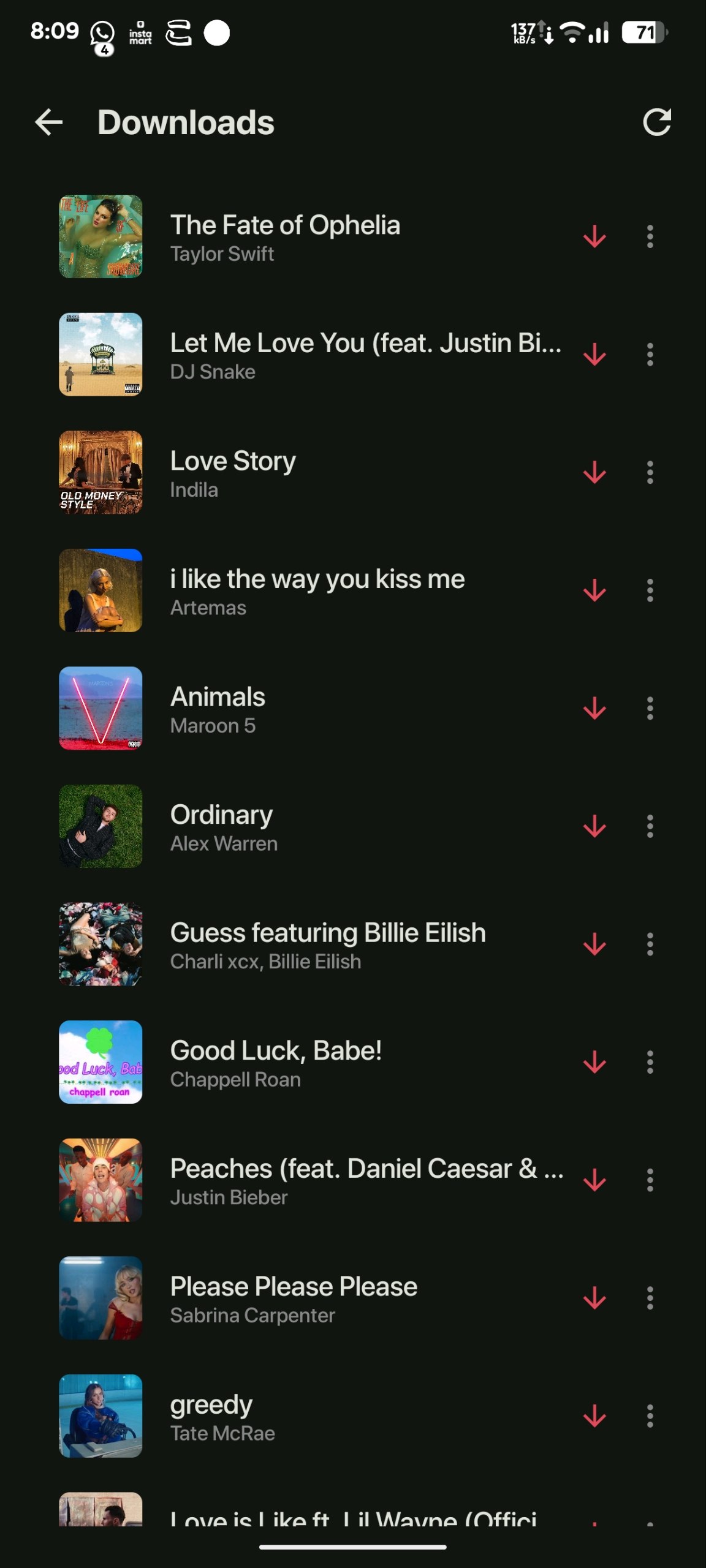
- offline downloads with download management and remove-download actions
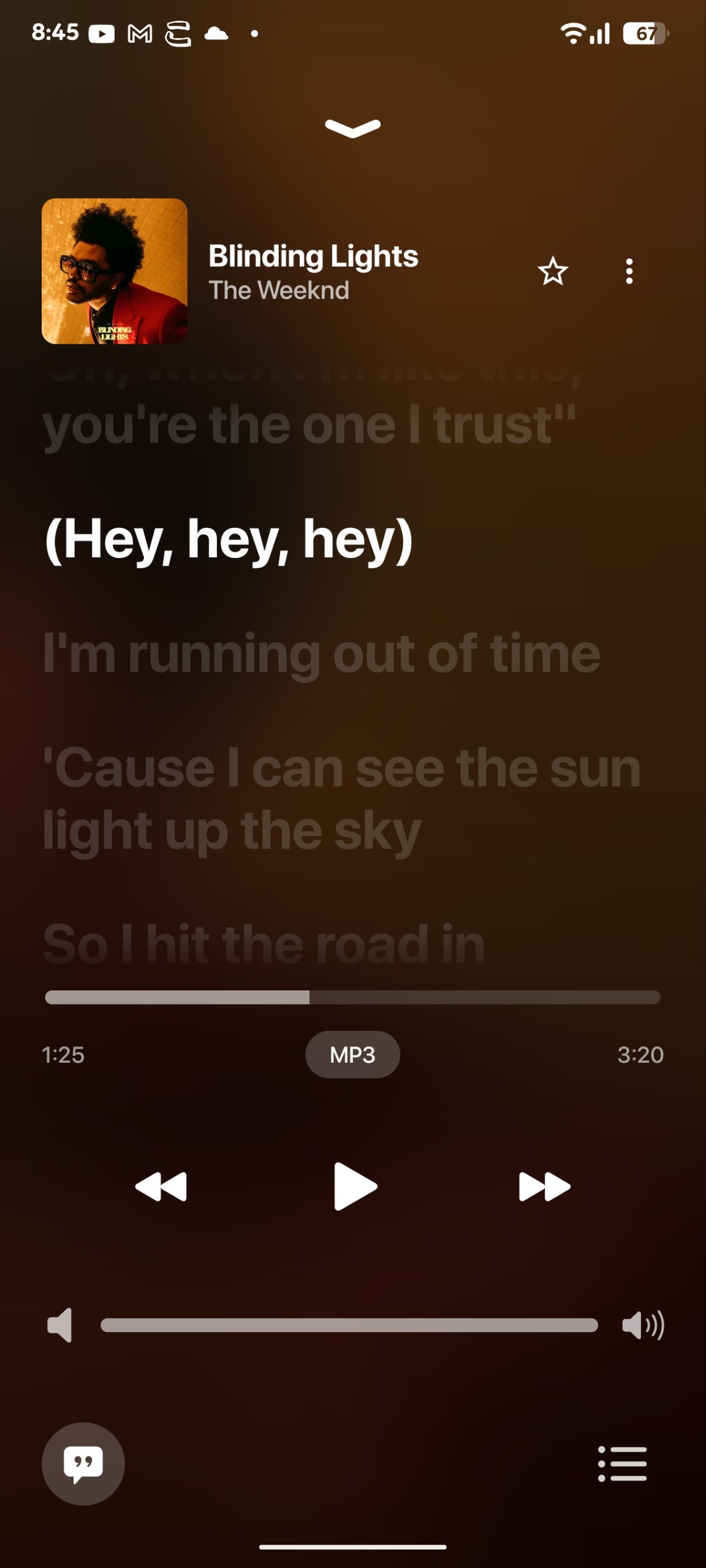
- expanded player views with metadata, next queue, lyrics, and quick actions
- synced lyrics and dedicated lyrics view
- artist pages, album pages, playlist pages, and search-driven discovery
- direct YouTube search, provider-native YouTube browse flows, and quick provider switching on Android
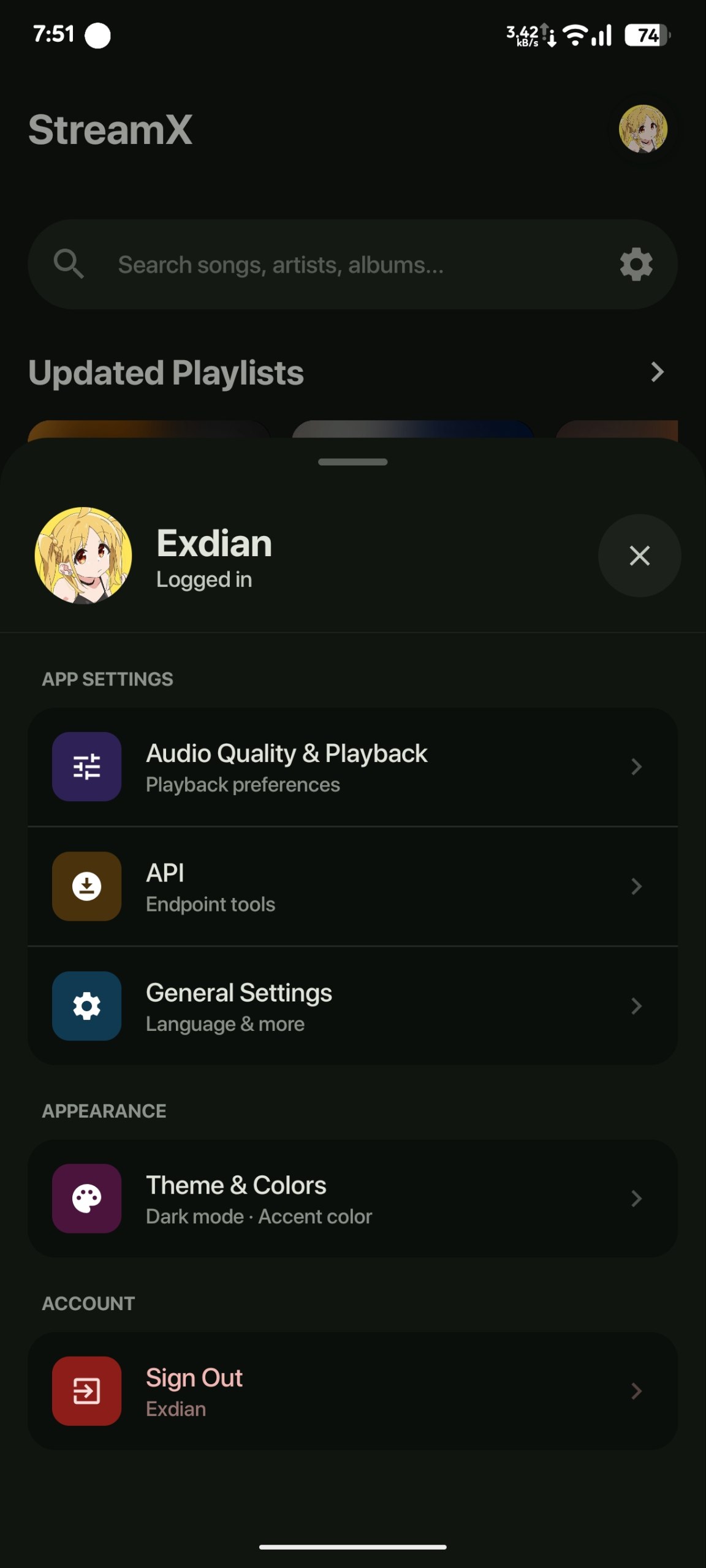
- customizable UI with polished cards, home sections, dark mode, and AMOLED-style presentation
- polished Compose-based UI with full-screen player, bottom sheets, and modern navigation
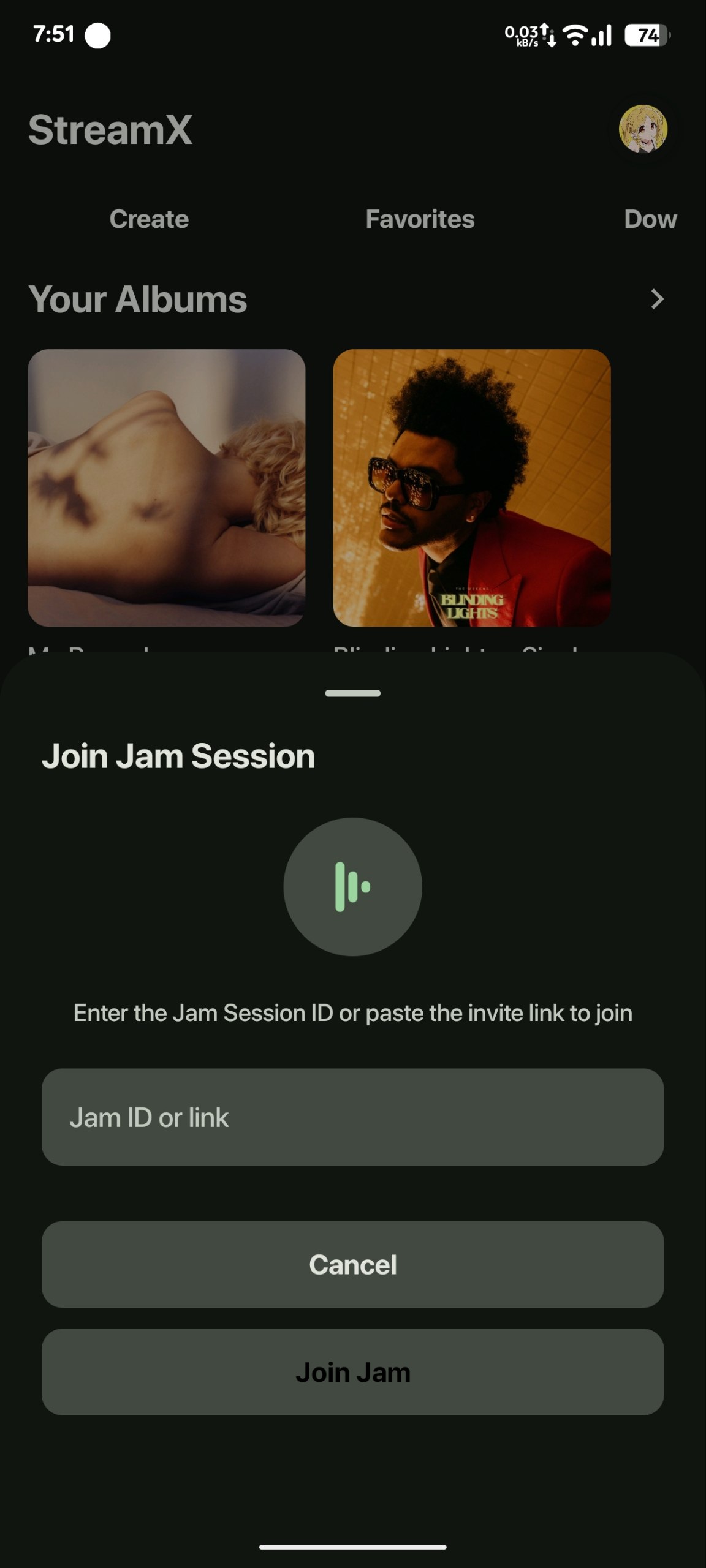
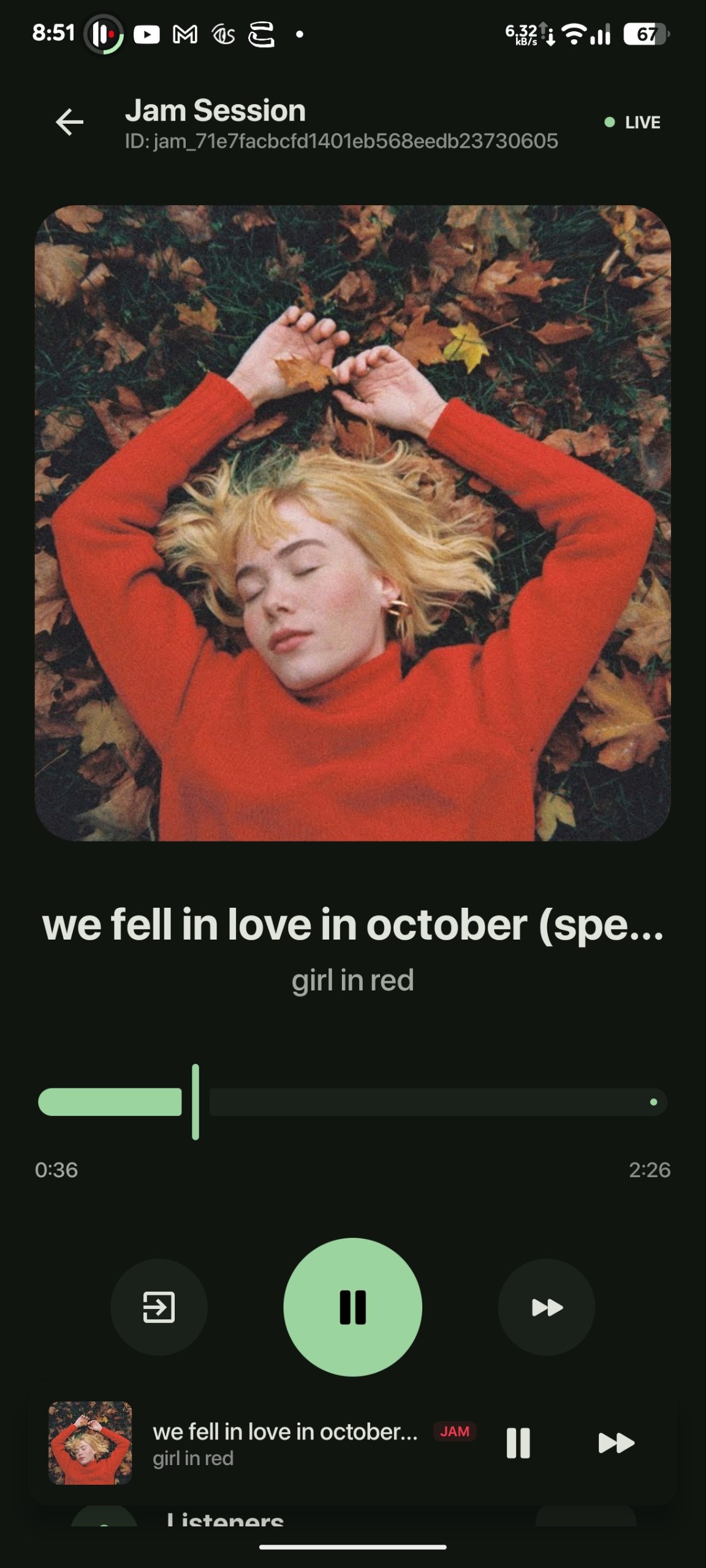
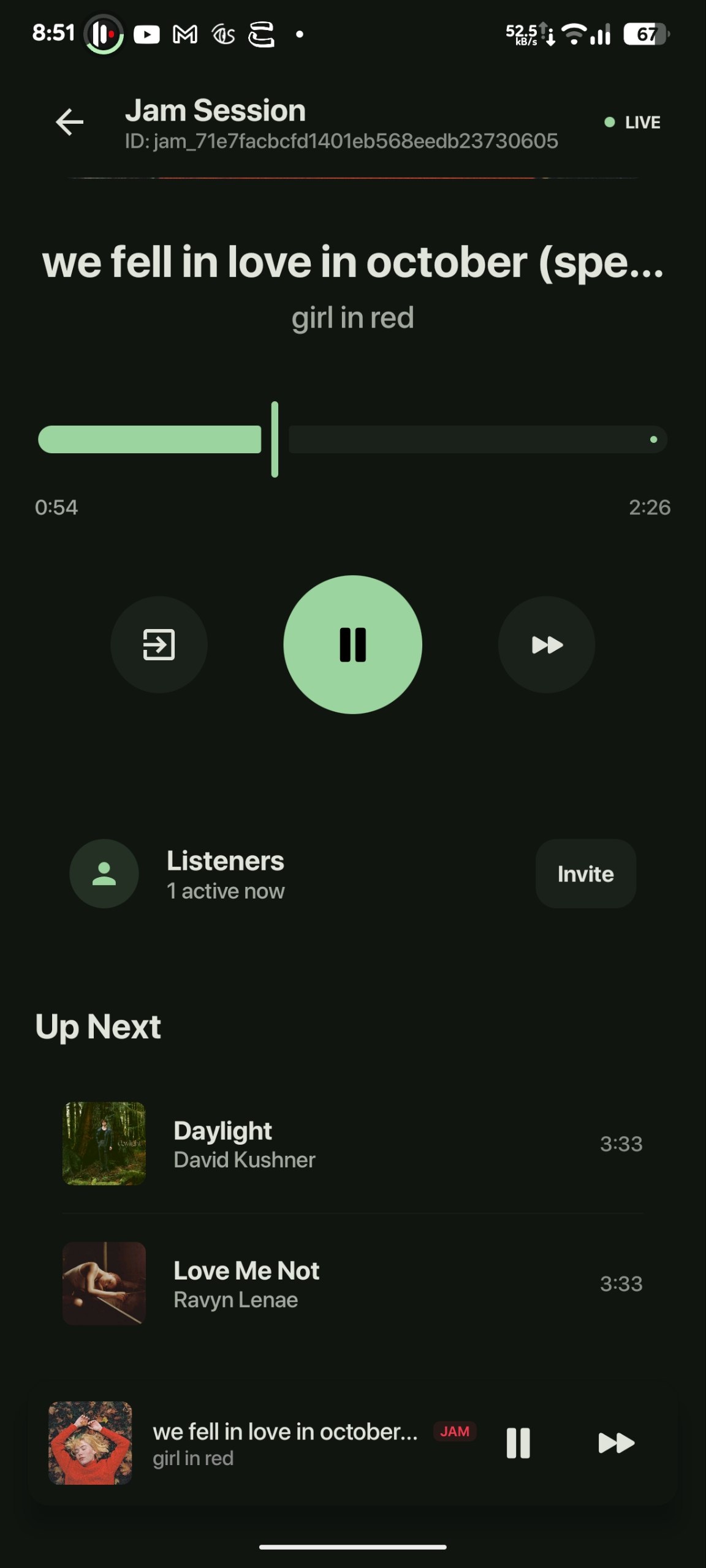
- collaborative jam sessions with synchronized playback and queue updates
- jam invites, join flows, cooldown handling, and push notifications
- friends, presence, listening activity, and share-listening controls
- share links for playlists, albums, tracks, and jams
| 1 | 2 | 3 |
|---|---|---|
 |
 |
 |
| 4 | 5 | 6 |
|---|---|---|
 |
 |
 |
| 7 | 8 | 9 |
|---|---|---|
 |
 |
 |
| 10 | 11 | 12 |
|---|---|---|
 |
 |
 |
| 13 | 14 | |
|---|---|---|
 |
 |
| Project | Role | Stack | Docs |
|---|---|---|---|
stream |
Backend, API, sharing, deployment | Python, FastAPI, MongoDB, Telegram, Firebase Admin | README.md |
StreamX/ |
Android app | Kotlin, Jetpack Compose, Media3, Firebase Messaging | StreamX/README.md |
StreamXWeb/ |
Web app | React, Vite, TypeScript | StreamXWeb/README.md |
- Android APK builds are published in the root repo's Releases
StreamXWebis built and served by the backend in normal production deployments- backend deployment is source-based or Docker-based depending on your environment
python -m venv .venv
.venv\Scripts\activate
pip install -r requirements.txt
copy sample_config.py config.py
python -m stream
Or with Docker:
docker compose up --buildcd StreamX
.\gradlew.bat :app:assembleDebug
.\gradlew.bat :app:installDebugBefore the first build, place google-services.json at StreamX/app/google-services.json.
cd StreamXWeb
npm install
npm run dev
For production, StreamXWeb is usually not deployed separately. The backend Dockerfile already builds and serves it.
This root project powers:
- auth, playlists, favourites, albums, tracks, friends, jams, and notifications
- Telegram ingestion and admin tooling
- media streaming endpoints
- playlist, album, track, and jam share routes
- production serving of the built web app
Main entrypoint:
python -m streamYou can run it in:
- API-only=True mode disables the bot's runtime, which is useful for testing
Requirements:
- Python 3.11+
Run:
python -m venv .venv
.venv\Scripts\activate
pip install --upgrade pip
pip install -r requirements.txt
copy sample_config.py config.py
python -m streamThe root Dockerfile already:
- builds
StreamXWeb - installs Python dependencies
- copies backend code
- copies the built web
dist/ - starts the app through
start.sh
Run:
docker compose up --build -dThis repo can be used for other service (free) such as koyeb.
Typical Render flow:
- create a Docker web service
- point it at this repo
- set
CONFIG_GISTto a raw URL that returns your fullconfig.py - deploy
One-click shortcut:
Health check:
GET /health
Use sample_config.py as the template for config.py.
| Key | Purpose |
|---|---|
BOT_TOKEN |
Telegram bot token |
API_ID |
Telegram API ID |
API_HASH |
Telegram API hash |
MONGO_URI |
MongoDB connection string |
DATABASE_NAME |
MongoDB database name |
OWNER_ID |
Telegram owner ID |
SECRET_KEY |
Session signing and Firebase credential decoding |
CHANNEL_ID |
Main Telegram source channel |
| Key | Purpose |
|---|---|
FIREBASE_CREDENTIALS |
Encoded Firebase Admin service account |
CORS_ORIGINS |
Allowed frontend origins |
COOKIE_SECURE |
Secure cookie flag for HTTPS |
COOKIE_SAMESITE |
Cross-site cookie policy |
SPOTIFY_CLIENT_ID / SPOTIFY_CLIENT_SECRET |
Spotify metadata integration |
CLOUDINARY_CLOUD_NAME / CLOUDINARY_API_KEY / CLOUDINARY_API_SECRET |
Cover uploads and hosting |
SESSION_STRING |
Optional userbot session |
SOURCE_CHANNEL_IDS |
Additional Telegram source channels |
DUMP_CHANNEL_ID |
Optional dump channel |
LRCLIB / MUSIXMATCH |
Lyrics provider toggles |
MULTI_CLIENTS, MULTI_CLIENTS_1... |
Extra Telegram clients or tokens |
If you only want the API:
ONLY_API = TrueIn that mode the important requirements are:
MONGO_URIDATABASE_NAMESECRET_KEY
The backend uses Firebase Admin to send push notifications. This is different from the Android device token.
You need a Firebase service account JSON from:
- Firebase Console
- Project settings
- Service accounts
- Generate new private key
Save that file as service_account.json in the root of this repo.
This repo includes encode_firebase.py so you can store an encoded value in config.py instead of raw JSON.
Steps:
- put the downloaded file at
service_account.json - make sure
SECRET_KEYis already set inconfig.py - run:
python encode_firebase.py- copy the printed output into:
FIREBASE_CREDENTIALS = "..."The backend also supports:
FIREBASE_CRED_B64
That should be plain base64 of the raw Firebase service account JSON.
| Item | Used by | Where you get it |
|---|---|---|
service_account.json / FIREBASE_CREDENTIALS / FIREBASE_CRED_B64 |
Backend push sending | Firebase Console -> Project settings -> Service accounts |
google-services.json |
Android app build setup | Firebase Console -> Project settings -> Your apps -> Android |
| FCM device token | Individual Android device | Generated automatically by the app |
Do not paste the device FCM token into backend config. The Android client obtains it automatically and registers it after login.
Backend-side YouTube extraction looks for:
cookies/yt.txt
Use it when you need stronger yt-dlp access for restricted or rate-limited content.
- log in to YouTube in a desktop browser
- export cookies in Netscape format
- save the file as
cookies/yt.txt
Notes:
- keep the file private and never commit it
- you can upload the cookies directly via telegram bot using /sudo > cookies > save cookies as yt.txt and upload.
- Support group: t.me/RaidenEISupport
- Metrolist for innertube & reference
- Root backend and deployment: README.md
- Android app: StreamX/README.md
- Web app: StreamXWeb/README.md
