




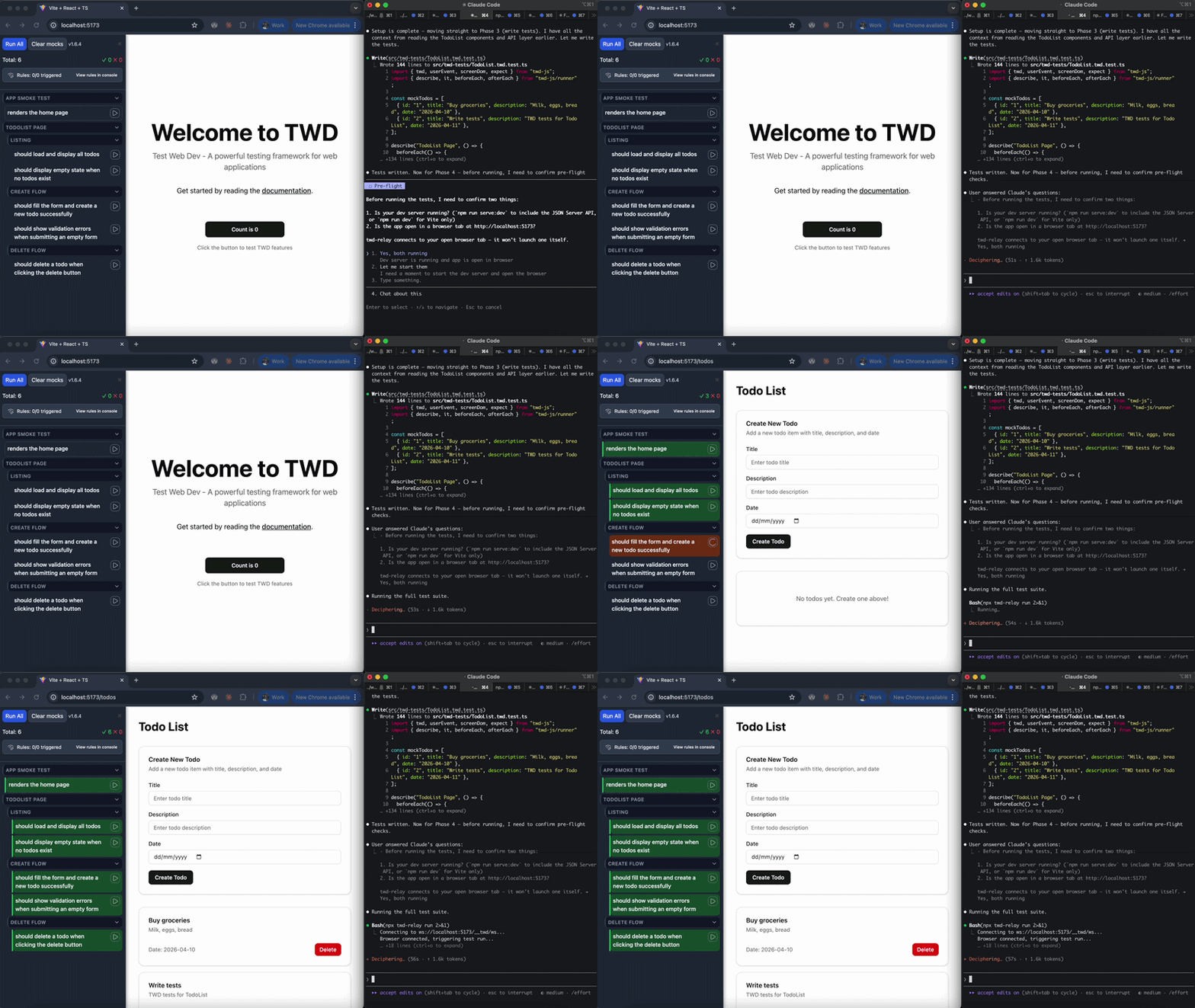
TWD is a library designed to seamlessly integrate testing into your web development workflow. It streamlines the process of writing, running, and managing tests directly in your application, with a modern UI and powerful mocking capabilities.
📖 Full Documentation | 🚀 Getting Started | 📚 API Reference
- 🧪 In-browser test runner with a beautiful sidebar UI
- ⚡ Instant feedback as you develop
- 🔥 Mock Service Worker integration for API/request mocking
- 📝 Simple, readable test syntax (inspired by popular test frameworks)
- 🧩 Automatic test discovery with Vite support
- 🎯 Testing Library support - Use
screenDomfor semantic, accessible queries - 🛠️ Works with React (support for more frameworks coming)
npm install twd-js
# or
yarn add twd-js
# or
pnpm add twd-jsAdd the twd() plugin to your vite.config.ts. The plugin auto-loads the sidebar and discovers test files in dev — no entry-file changes required.
// vite.config.ts
import { defineConfig } from 'vite';
import react from '@vitejs/plugin-react'; // or vue, solid, etc.
import { twd } from 'twd-js/vite-plugin';

export default defineConfig({
  plugins: [
    react(),
    twd({
      testFilePattern: '/**/*.twd.test.{ts,tsx}',
      open: true,
      position: 'left',
    }),
  ],
});If you plan to use API mocking, set up the mock service worker:
npx twd-js init publicIf your project doesn't use Vite, initialize TWD manually in your dev entry point:
// Only load the test sidebar and tests in development mode
if (import.meta.env.DEV) {
  const { initTWD } = await import('twd-js/bundled');
  const tests = import.meta.glob('./**/*.twd.test.ts');

  initTWD(tests, {
    open: true,
    position: 'left',
    serviceWorker: true,             // Enable request mocking (default: true)
    serviceWorkerUrl: '/mock-sw.js', // Custom service worker path (default: '/mock-sw.js')
  });
}
Check the Framework Integration Guide for more details.
// src/app.twd.test.ts
import { twd, userEvent, screenDom } from "twd-js";
import { describe, it } from "twd-js/runner";

describe("Hello World Page", () => {
  it("should display the welcome title and counter button", async () => {
    await twd.visit("/");

    // Use Testing Library queries (Recommended - semantic & accessible)
    const title = screenDom.getByRole("heading", { name: /welcome to twd/i });
    twd.should(title, "be.visible");
    twd.should(title, "have.text", "Welcome to TWD");

    const counterButton = screenDom.getByRole("button", { name: /count is/i });
    twd.should(counterButton, "be.visible");
    twd.should(counterButton, "have.text", "Count is 0");

    const user = userEvent.setup();
    await user.click(counterButton);
    twd.should(counterButton, "have.text", "Count is 1");

    // Alternative: Use TWD's native selectors for direct element access
    // const title = await twd.get("h1");
    // title.should("be.visible").should("have.text", "Welcome to TWD");
  });
});- Run your app - The TWD sidebar will appear automatically in development mode!
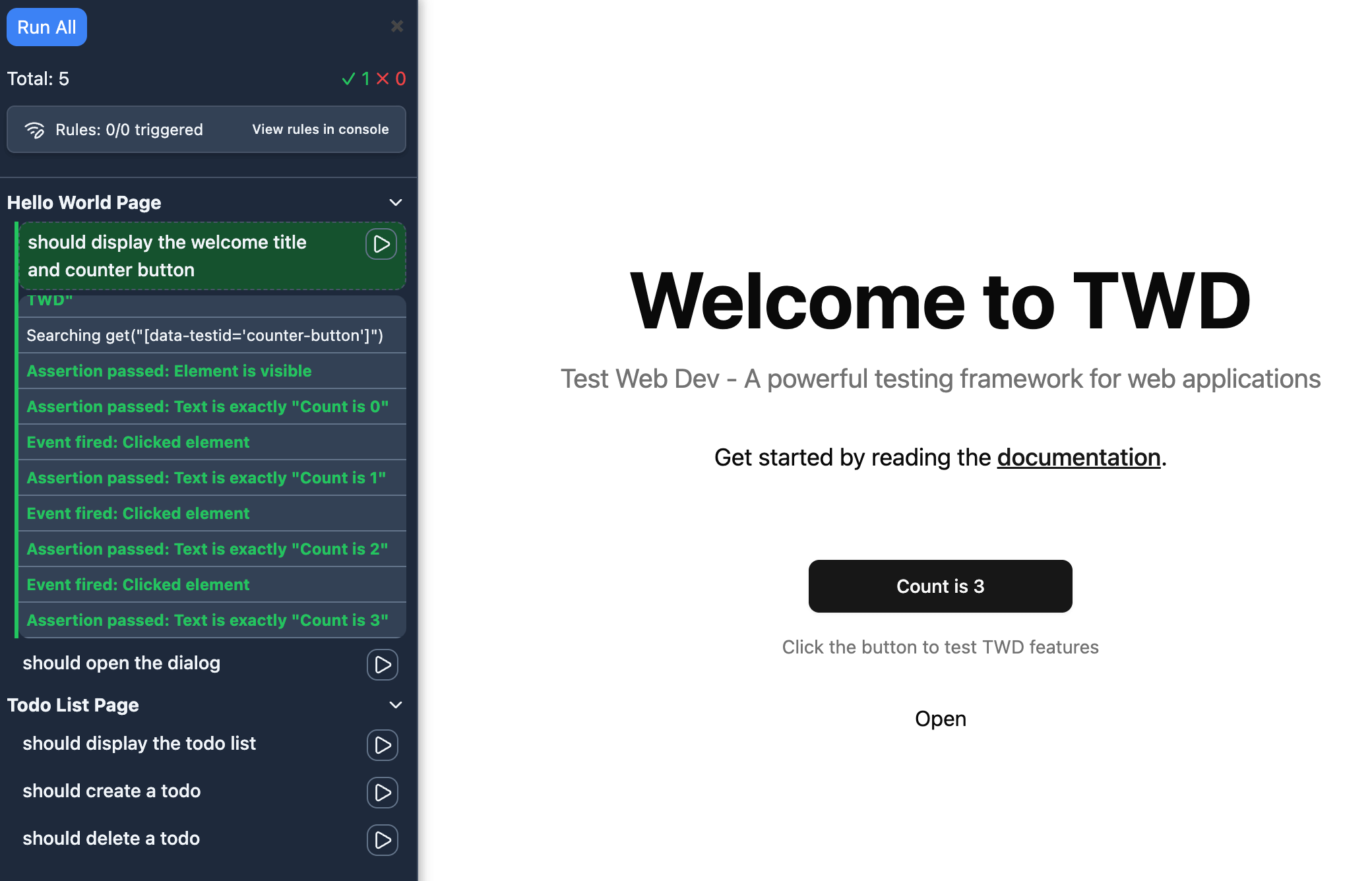
TWD supports two approaches:
Testing Library Queries (Recommended):
const button = screenDom.getByRole("button", { name: /submit/i });
twd.should(button, "be.visible");
Native Selectors:
const button = await twd.get("button");
button.should("be.visible");const user = userEvent.setup();
await user.click(button);
await user.type(input, "Hello World");twd.mockRequest("getUser", {
method: "GET",
url: "/api/user",
response: { id: 1, name: "John" }
});
const rule = await twd.waitForRequest("getUser");Full documentation is available at twd.dev (coming soon) or in the docs folder.
Check out our working examples for various frameworks:
- Examples Directory - Local examples for React, Vue, and Astro
- Vue Example - Vue 3 with advanced scenarios
- Solid Example - Solid.js integration
- Angular Example - Angular setup
Each example includes a complete setup guide and demonstrates best practices for testing with TWD including ci integration.
Contributions are welcome! Please open issues or pull requests on GitHub.
 Kevin Julián Martínez Escobar 💻 |
 Javier Rodriguez 📖 |
 Guillermo Ruiz Arranz 💻 |
 Roberto Gomez Fabrega 📖 |
This project follows the all-contributors specification. Contributions of any kind are welcome!
This project is licensed under the MIT License.